
In This Guide:
-
-
- 1. Introduction
- 2. The Problem: Training That Works on Mobile Devices
- 3. Why Responsive Design Matters
- 4. Step-by-Step Solution: Building a First Rise Course
- 5. Practical Examples: Articulate Courses in Action
- 6. Best Practices for Articulate Courses
- 7. Common Mistakes to Avoid
- 8. Summary
- 9. Frequently Asked Questions
-
Introduction
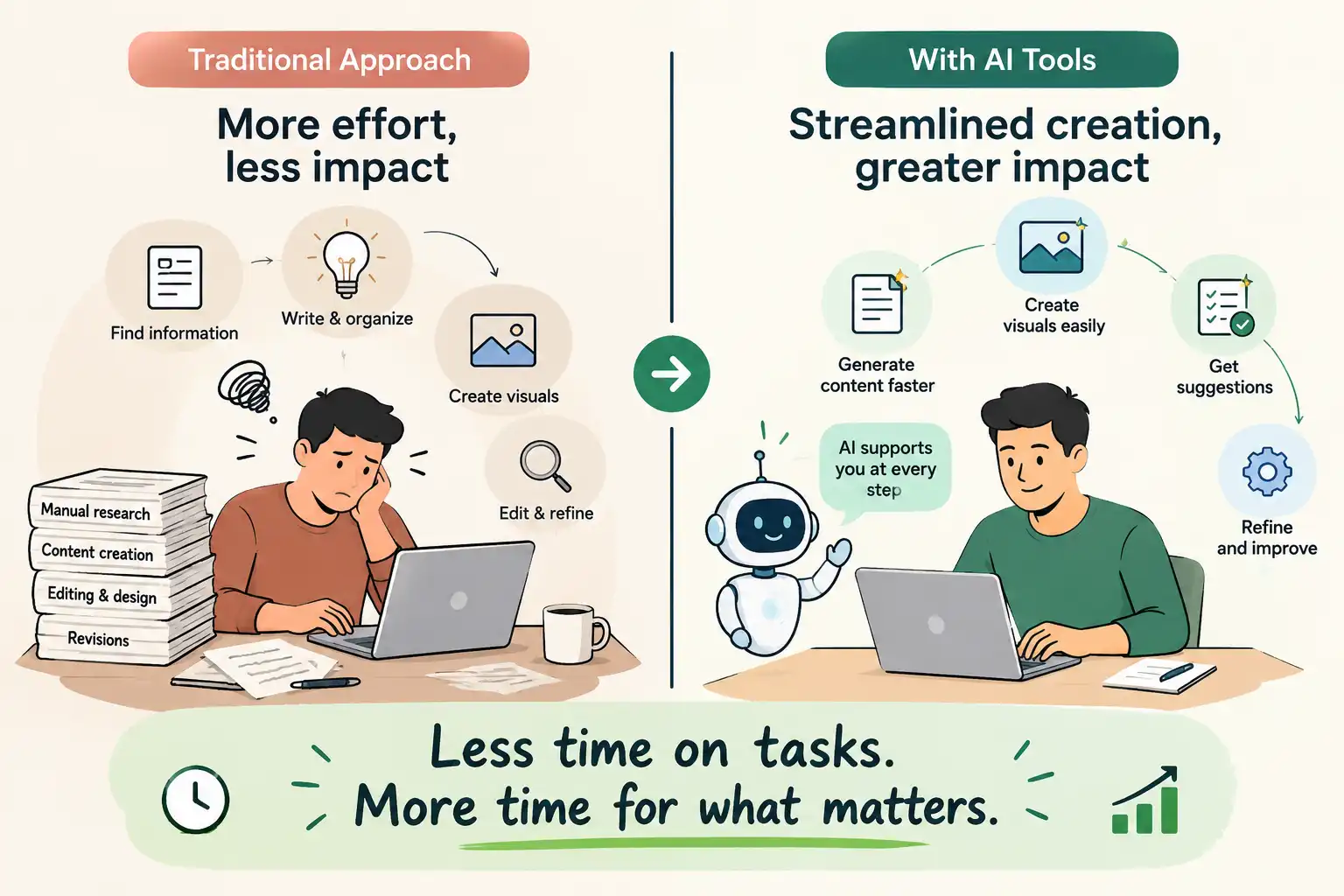
Articulate Rise courses offer a practical way to build responsive corporate training across mobile, tablet, and desktop devices. But effective course development starts with the curriculum—not the technology.
When your organization needs to deploy training that looks pristine on an iPhone, tablet, or enterprise desktop without requiring custom coding, Articulate Rise stands out as the industry standard. At Wizcabin, we partner with educators from initial Storyline and Rise learning objectives through full LMS deployment, ensuring your online academy delivers measurable learning outcomes from day one.
The Problem: Training That Breaks on Mobile Devices
Corporate training teams often inherit heavy slide decks, dense manuals, or clunky legacy courses that don’t work for modern learners.
When employees attempt to complete mandatory compliance training on mobile devices while traveling, fixed-width slides force frustrating horizontal scrolling and illegible text. Learners abandon modules halfway through, completion rates plummet, and L&D directors are left with zero actionable data.
Treating digital learning like a static PDF or forcing desktop software onto mobile viewports creates immediate friction. Organizations need a structured approach to course authoring that prioritizes flexibility, scannability, and multi-device compatibility from the start.
Why Responsive Design Matters for Enterprise Training
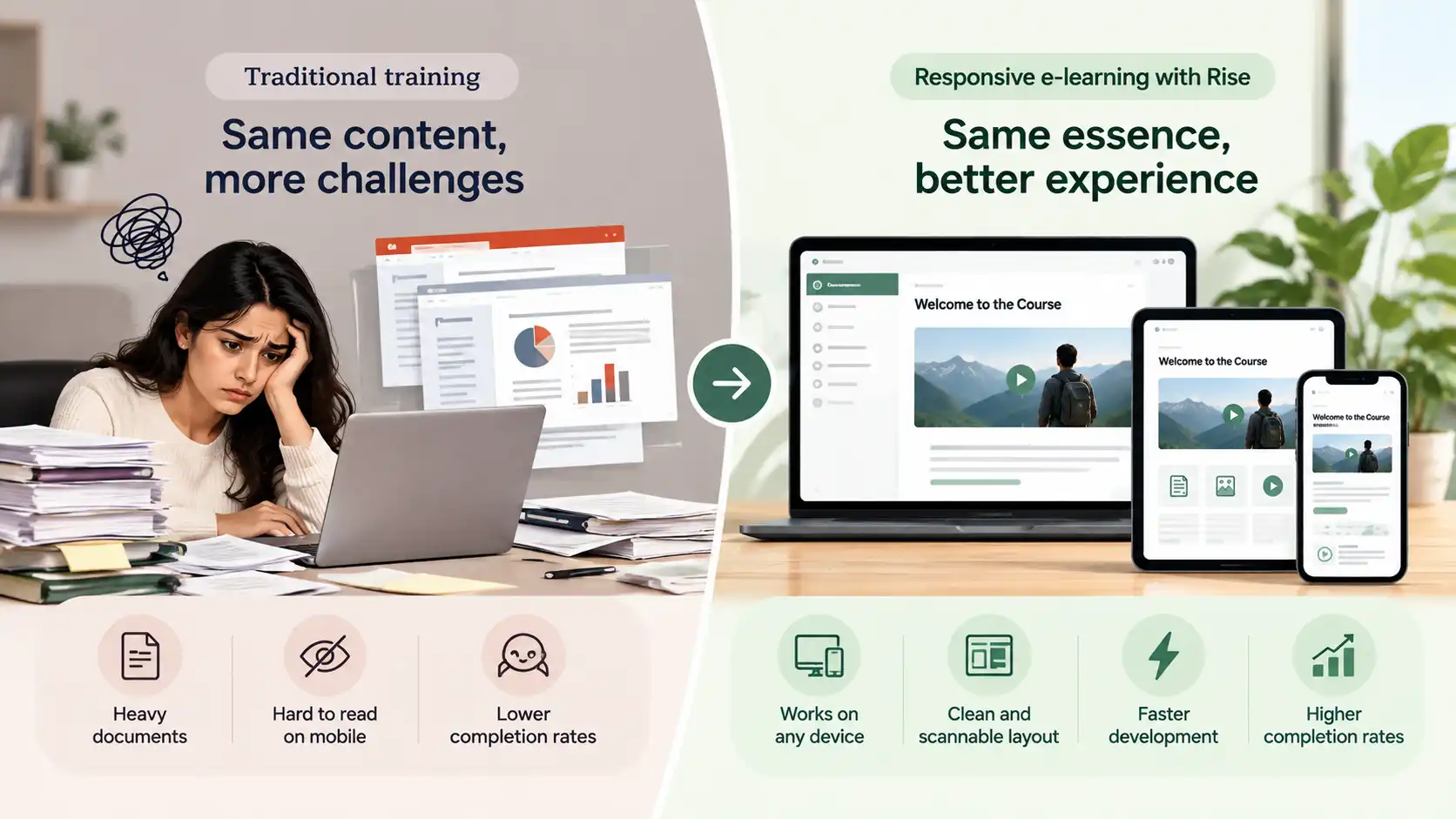
Modern learners consume content on the move. They expect digital experiences to adapt instantly to whatever screen they happen to be holding.
Articulate Rise is a web-based authoring tool that runs entirely in your browser using pre-built blocks. Text, multimedia, accordions, and knowledge checks stack vertically and scale automatically. This responsive flexibility keeps development timelines lean while maintaining high visual appeal.
To explore how cloud environments streamline this creation process, read our analysis on the Key Benefits of Cloud-Based Authoring Tools.
Step-by-Step Solution: Building Your First Rise Course
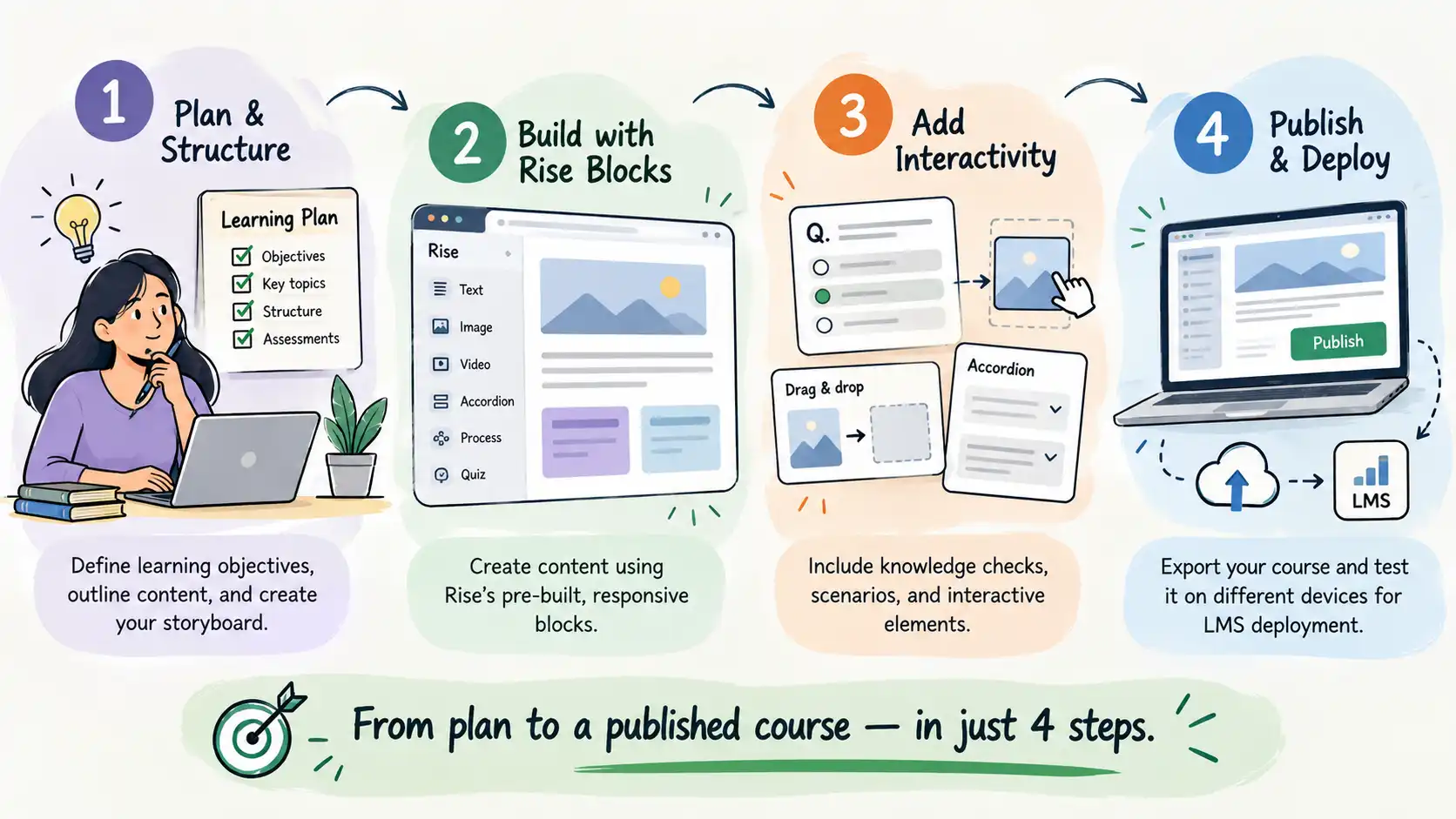
Designing an effective corporate training module requires more than inserting blocks into a blank template. Follow this practical framework to move from raw outline to published course.
Step 1: Establish Your Storyboard Blueprint
Never build directly inside an authoring tool without a plan. Outline your learning objectives, narrative scenarios, and assessment checkpoints first.
For a complete look at structured planning, review our guide on How to Create an Effective E-Learning Storyboard.
Step 2: Structure Content with Microlearning Blocks
Break dense topics into digestible, 5-minute modules. Use Rise text blocks, bulleted lists, and process steps to chunk information logically.
To see how modular design shapes training outcomes, review our guide on Is It Important to Add Microlearning.
Step 3: Embed Interactive Knowledge Checks
Keep learners active by placing interactive blocks—such as flashcards, matching activities, or multiple-choice questions—after every major concept.
To explore advanced interactivity principles, learn How to Use Scenarios in E-Learning.
Step 4: Export and Test for LMS Deployment
Once your course is polished, export the package using standard web protocols. When organizations need reliable web standards to track user completion across different platforms, understanding How SCORM Works: Complete Technical Guide becomes essential for deployment.
Practical Examples: Articulate Rise Courses in Action
Corporate training succeeds when abstract concepts translate into practical workplace behaviors. Here is how organizations apply Rise across different industries:
- Sales Onboarding: A global software firm replaced a 200-page product manual with a 10-part Rise microlearning series. New sales reps review bite-sized feature summaries on their tablets between client meetings.
- Regulatory Compliance: A healthcare provider deployed mandatory annual safety training through responsive Rise modules. Completion rates jumped from 61% to 94% within the first month because staff could finish modules on mobile phones during shift changes.
- Hybrid Storyline Integration: When complex simulations require custom JavaScript or advanced branching, teams embed a custom Storyline block directly inside a clean, scannable Rise lesson.
To see how responsive design principles come to life in real-world deployment, review our Example Courses & Interactive Demos.
Best Practices for Articulate Rise Courses
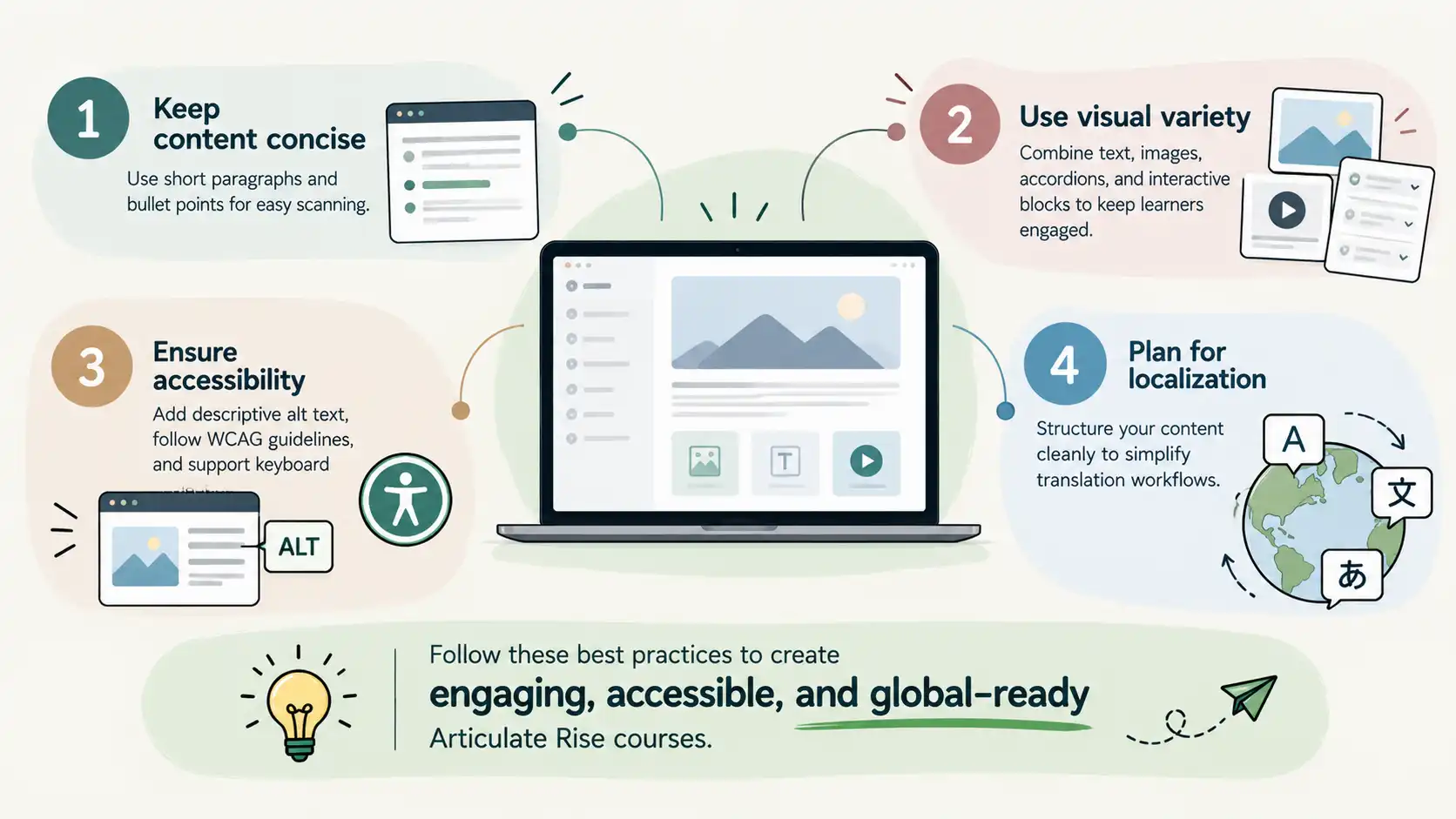
- Keep Paragraphs Short: Web readers scan text. Keep explanations concise and rely on bullet points or numbered lists to highlight key takeaways.
- Utilize Visual Variety: Alternate between text blocks, image grids, and interactive accordions to maintain visual rhythm throughout the lesson.
- Audit for Accessibility: Ensure every image includes descriptive alt-text, color contrast ratios meet WCAG standards, and navigation supports keyboard-only users.
- Plan for Localization: If your workforce spans multiple regions, structure your English source files cleanly to simplify translation workflows. For deeper insights, explore the Benefits of Multi-Language E-Learning Content.
Common Mistakes to Avoid
- Treating Rise Like a Slide Deck: Dumping thousands of words onto a single scrollable page without breaking content into logical lessons creates cognitive overload.
- Ignoring Mobile Layouts: Failing to preview how wide tables, custom graphics, or embedded media render on small mobile viewports.
- Skipping Peer Reviews: Publishing courses without testing SCORM tracking inside your actual learning management system.
When deciding whether to build these training assets internally or partner with external specialists, explore our guide on In-House or Outsourcing E-Learning Development.
Summary
Articulate Rise transforms clunky corporate training materials into responsive, engaging digital experiences. By focusing on modular instructional design, scannable block architecture, and seamless LMS integration, your organization can deliver training that employees actually complete.
Whether you are launching your first online academy or scaling enterprise compliance training, having a trusted partner makes all the difference. Explore our foundational approach via Wizcabin Solutions & E-Learning Architecture.
Frequently Asked Questions
What is Articulate Rise 360?
Articulate Rise 360 is a web-based authoring tool that allows instructional designers and subject matter experts to build responsive, modern e-learning modules directly inside a browser.
Is Rise better than Storyline for mobile learning?
Yes. Rise uses a responsive web framework that automatically stacks and scales content for any screen size, whereas Storyline requires manual layout adjustments for mobile viewports.
How fast can I build a course in Rise?
Because Rise relies on pre-built blocks and standardized templates, course creation is up to 5x faster compared to traditional desktop authoring software.
Can I track granular quiz data in my LMS using Rise?
Yes. Rise courses export as SCORM, xAPI, or cmi5 packages that communicate completion status, quiz scores, and student interaction data back to your learning management system.
How do I handle internal subject matter expert reviews without breaking version control?
Rise includes built-in review links that allow stakeholders to leave inline comments and feedback directly on the draft course in real time.
When should I embed a custom Storyline interaction inside a Rise module?
Use Rise for your core content delivery and microlearning modules, but embed a Storyline block whenever you need complex branching, custom animations, or advanced JavaScript triggers.
How do I translate Rise courses into multiple languages efficiently?
You can export XLIFF translation files from Rise, send them to localization specialists, and import the translated text back into duplicate Rise courses instantly.
Should my team build modules in-house or partner with specialists?
Simple internal modules can be built in-house, but complex enterprise training programs, custom SCORM integrations, and polished instructional design often benefit from partnering with experienced agencies.
How do I ensure my Rise courses meet accessibility standards?
Add descriptive alt text to all images, verify that color contrast ratios pass WCAG guidelines, and test course navigation using only a keyboard.
Where can I see real-world examples of responsive e-learning modules?
Explore our curated portfolio of Example Courses & Interactive Demos to see professional Rise and Storyline deployments in action.
Ready to Elevate Your E-Learning Strategy?
Stop struggling with clunky authoring tools and disjointed training portals. Partner with Wizcabin to design, develop, and launch responsive corporate training that drives real results.
Contact Wizcabin / Strategy Consultation to speak directly with our senior learning architects today.