
In This Guide:
-
-
-
- 1. Introduction
- 2. The Problem
- 3. Why This Matters
- 4. The SCORM Development Lifecycle: A Framework for Building Successful Courses
- 5. What Is a SCORM Course?
- 6. Step-by-Step Guide to Developing SCORM Courses
- 7. Choosing the Right SCORM Version
- 8. Practical Examples of Effective SCORM Development
- 9. Best Practices
- 10. Common Mistakes to Avoid
- 11. Summary
- 12. Frequently Asked Questions (FAQ)
-
-
Introduction
SCORM course development is essential for creating eLearning courses that work reliably across learning management systems (LMSs). But building a SCORM course involves more than simply packaging content—it requires careful planning, development, testing, and deployment.
Unfortunately, many organizations focus only on making a course “SCORM compliant.” While compliance is important, it doesn’t guarantee a course will be engaging, easy to navigate, or compatible with every LMS. Poorly designed SCORM courses often lead to incomplete tracking, technical issues, frustrated learners, and unnecessary maintenance costs.
Whether you are an instructional designer creating compliance training, an eLearning developer building interactive modules, or an LMS administrator preparing content for deployment, following proven development practices can save time, improve learner satisfaction, and reduce technical friction after launch.
In this guide, you will learn the best practices for developing SCORM courses, including how to plan your project, choose the right SCORM version, design learner-friendly experiences, optimize multimedia, test your course effectively, and maintain it over time.
At Wizcabin, we partner with educators and organizations from initial learning objectives in the Articulate Storyline guide and Articulate Rise 360 guide to full LMS deployment. Let’s examine how to build SCORM courses that are technically reliable and educationally effective from day one.
The Problem
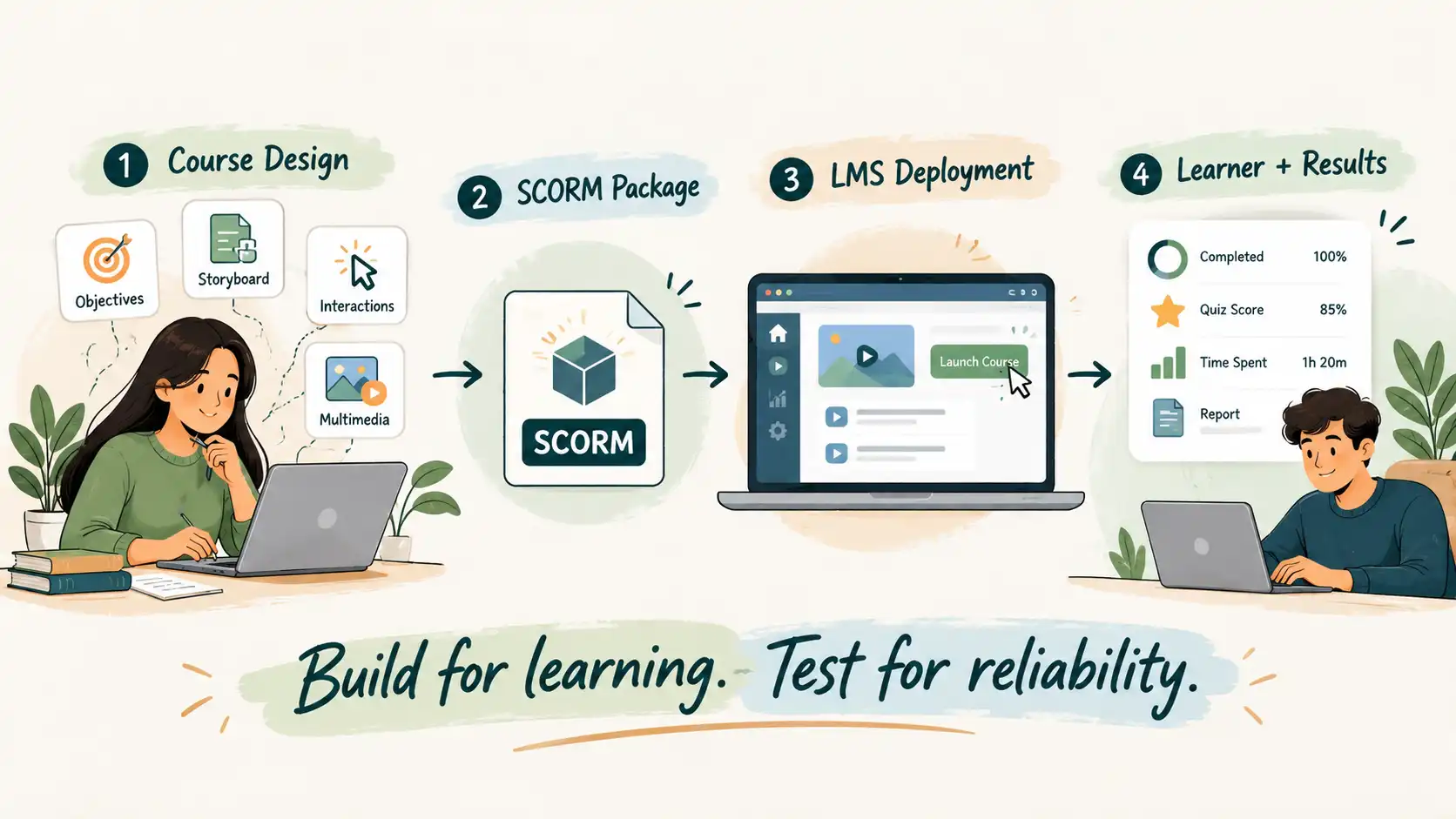
Many teams assume that if a course publishes successfully as a SCORM package, the project is complete. In reality, publishing is only one step in the broader development lifecycle.
A poorly developed SCORM course can create significant challenges for both learners and administrators, including:
- Learner progress not being saved correctly across sessions
- Quiz scores failing to report accurately to the LMS gradebook
- Incorrect completion or pass/fail status updates
- Slow-loading courses caused by unoptimized media files
- Confusing navigation that disrupts the learning flow
- Compatibility issues across different LMS platforms
- Poor mobile learning experiences
- Accessibility barriers for learners with disabilities
- Difficult and time-consuming course updates
These issues reduce learner engagement, increase support tickets, and diminish the return on investment for digital training programs.
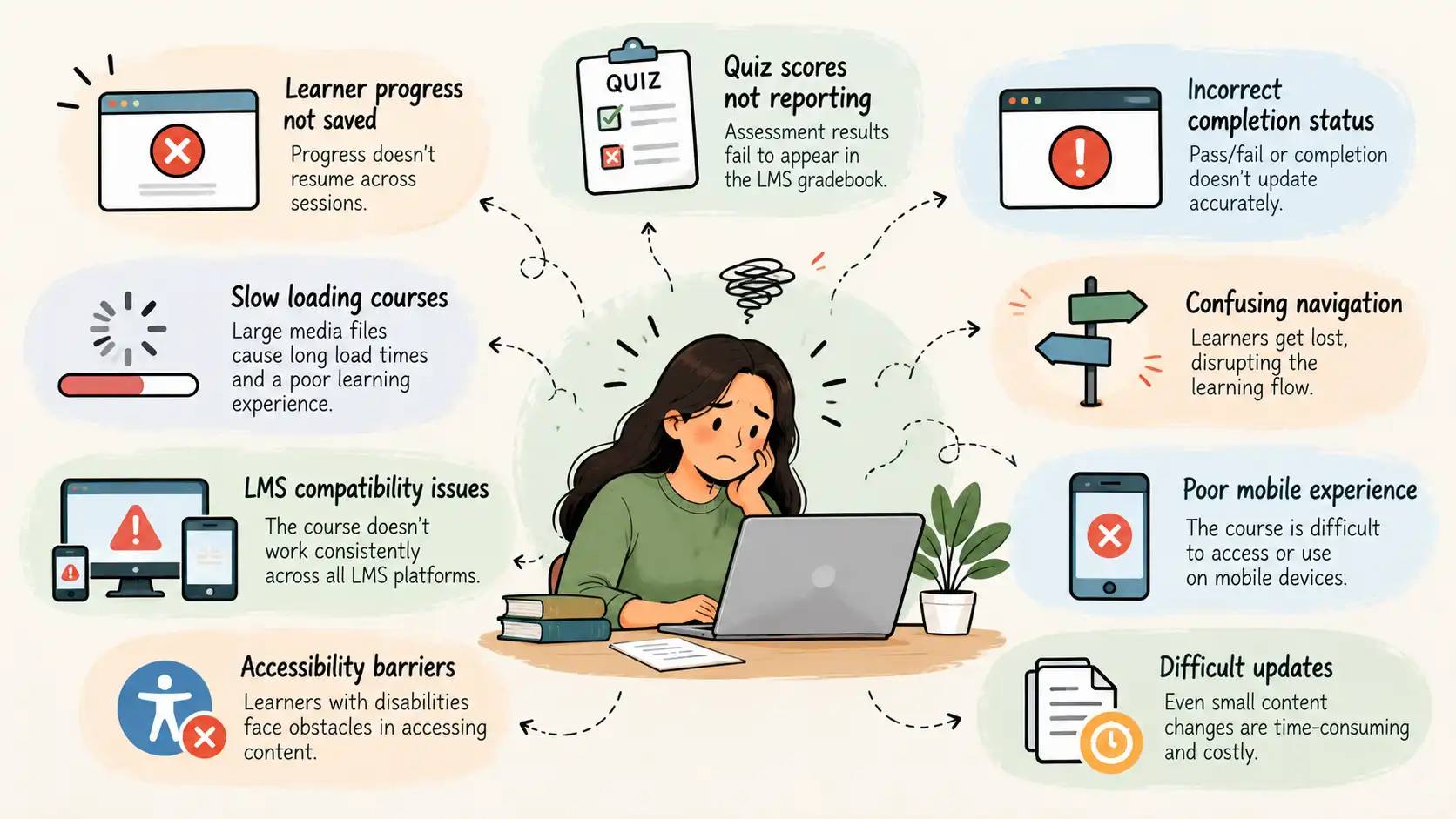
Many of these problems occur because the course was designed with a primary focus on technical publishing rather than the actual learning experience. Effective SCORM development requires balancing instructional design, learner needs, technical standards, and quality assurance throughout the project.
Why This Matters
SCORM has remained a widely adopted eLearning standard because it enables online courses to work consistently across many Learning Management Systems. It allows organizations to deliver training, monitor progress, record assessment results, and generate reports without rebuilding the same course for every platform.
However, simply meeting the technical SCORM standard isn’t enough to create a successful learning experience.
A professionally developed SCORM course should:
- Deliver a clear and engaging learning journey
- Track learner progress accurately without data loss
- Work seamlessly across supported LMS platforms
- Perform well on desktop, tablet, and mobile devices
- Meet accessibility requirements where applicable
- Be easy to update as policies, products, or procedures change
- Provide reliable, clean reporting data for administrators
Following established development practices helps achieve these outcomes while reducing technical troubleshooting and long-term maintenance effort. It benefits everyone involved: learners enjoy a smoother experience, developers spend less time fixing avoidable technical bugs, and administrators receive reliable data.
The SCORM Development Lifecycle: A Framework for Building Successful Courses
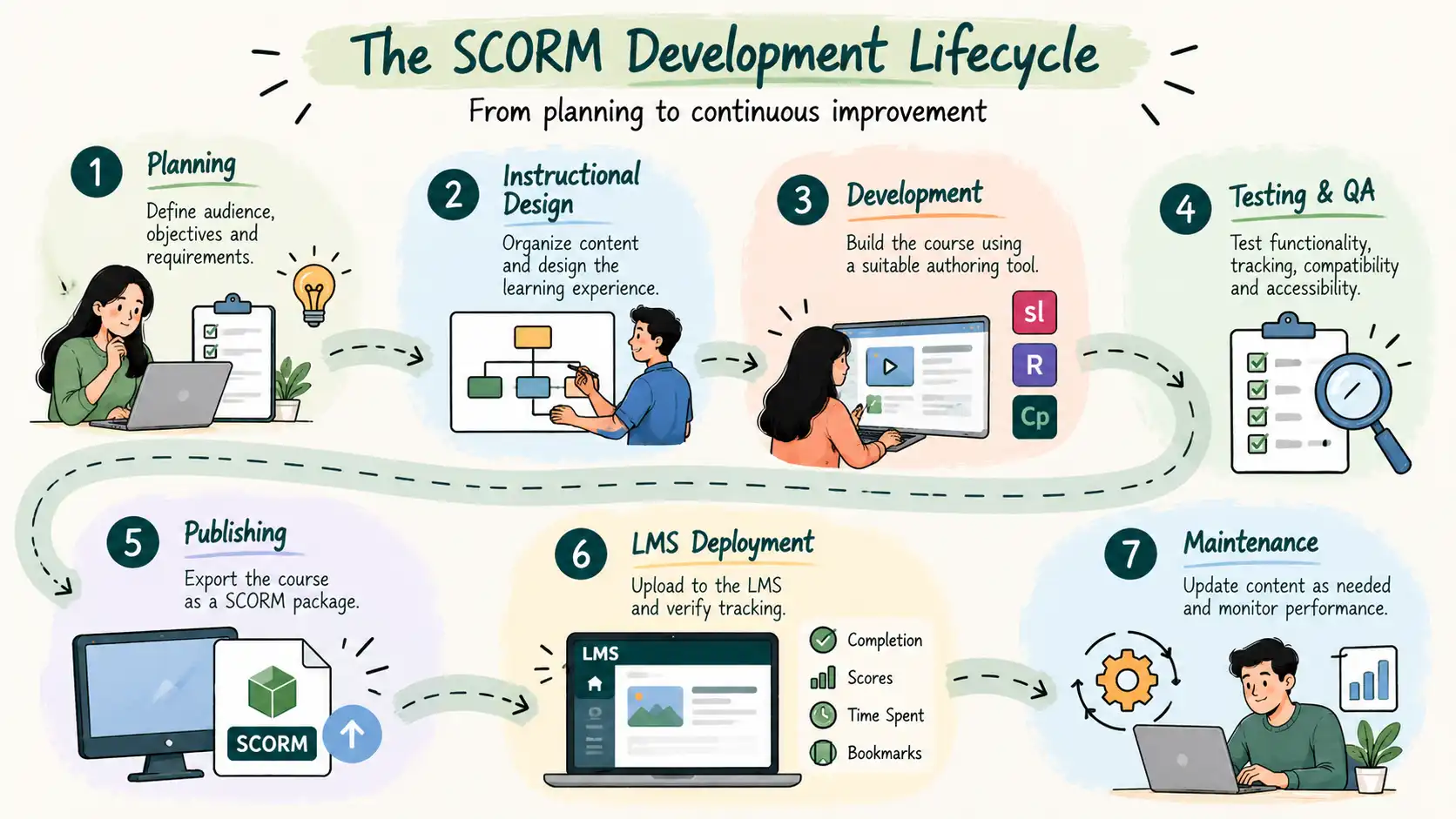
Many people think SCORM development starts when they open an authoring tool. In reality, successful SCORM courses begin much earlier with careful planning and instructional design.
Treating SCORM development as a structured lifecycle helps ensure your course is engaging, technically reliable, and easy to maintain long after publication.
1. Planning
Every successful course starts with a clear plan. Before creating any content, identify your target audience, learning objectives, business goals, and the technical constraints of your hosting platform. For a deeper dive into upfront alignment, explore our course planning framework.
2. Instructional Design
Once objectives are clear, design the learning experience. This stage focuses on organizing content into logical modules, planning assessments, and selecting appropriate interactions. The goal is to help learners understand, practice, and apply new knowledge.
3. Course Development
With your instructional design blueprint complete, development begins inside your chosen authoring tool. Developers build screens, navigation paths, multimedia assets, and accessibility features.
4. Testing and Quality Assurance
Before publishing the course for production, every feature should be rigorously tested. Quality assurance verifies navigation, multimedia playback, quiz functionality, learner tracking, and mobile responsiveness.
5. Publishing
After successful testing, the course is published in the appropriate SCORM version (such as SCORM 1.2 or SCORM 2004), configuring completion rules, passing scores, and reporting options.
6. LMS Deployment
The published SCORM package is uploaded to the LMS. Administrators must verify launch behavior, completion tracking, score reporting, and resume functionality inside the production environment.
7. Maintenance and Continuous Improvement
Publishing is not the end of the project. As content evolves, organizations must update policies, replace outdated media, fix bugs, and improve accessibility. Planning for maintenance from the beginning makes future updates straightforward.
What Is a SCORM Course?
A SCORM course is an online learning package structured according to the Sharable Content Object Reference Model (SCORM) standard so it can communicate effortlessly with a Learning Management System (LMS).
Think of SCORM as a common language that allows different authoring tools and LMS platforms to work together without custom coding.
When a learner launches a SCORM course, information is exchanged automatically in the background. For example, the course can report:
- Learner name and identification ID
- Course completion status (complete, incomplete, passed, failed)
- Quiz and assessment scores
- Total time spent learning
- Bookmark location for resuming later
This automated communication allows organizations to monitor learner progress and generate meaningful training reports across large user bases. For a comprehensive technical breakdown, read our guide on What is SCORM?
Step-by-Step Guide to Developing SCORM Courses
Developing a successful SCORM course requires a structured process that balances instructional design, technical standards, and learner experience.
Step 1: Define Clear Learning Objectives
Every SCORM course should begin with a fundamental question: What should learners be able to do after completing this course? Learning objectives guide every subsequent decision, including content depth, interactive elements, and assessment design.
Well-written objectives should be specific, measurable, and action-oriented. For instance, rather than aiming to “understand workplace safety,” a better objective is to “identify five workplace hazards and apply the correct safety procedure for each.”
Step 2: Organize Content into Logical Modules
Trying to teach everything in one long, uninterrupted module often leads to cognitive overload. Divide your content into smaller, digestible learning modules that focus on one primary concept at a time. This mirrors the principles of effective microlearning, which you can read more about in our article on microlearning strategies.
Step 3: Create a Detailed Storyboard
One of the most common mistakes in eLearning development is opening an authoring tool before planning the screens. Always create a storyboard first.
A storyboard acts as your master blueprint, detailing screen titles, on-screen text, audio narration scripts, visual assets, interaction logic, and assessment questions. Preparing a storyboard reduces costly revisions during development.
Step 4: Choose the Right Authoring Tool
Select an authoring tool that aligns with your project requirements, team capabilities, and budget. Popular options include:
- Articulate Storyline 360: Best for complex branching scenarios, custom interactions, and software simulations.
- Articulate Rise 360: Ideal for responsive, rapid-development courses and mobile-friendly microlearning.
- Adobe Captivate & iSpring Suite: Excellent for PowerPoint-based conversions and rapid publishing workflows.
Step 5: Design for the Learner Experience
A technically compliant course can still fail if learners find it difficult to navigate. Apply consistent layouts, clear typography, intuitive navigation buttons, and chunked text. Ensure learners always know where they are, what they have completed, and how to move forward.
Step 6: Build Meaningful Interactions
Interactivity should support learning objectives rather than serve as mere decoration. Use click-to-reveal cards, tabs, process sliders, and drag-and-drop exercises to encourage active participation. For scenario-driven training, incorporate realistic workplace simulations where learners make decisions and experience consequences. Learn more about scenario design in our guide on how to use scenarios in e-learning.
Step 7: Develop Assessments That Measure Performance
Quizzes should evaluate true comprehension rather than rote memorization. Design scenario-based questions and practical challenges that reflect real-world tasks. Provide constructive feedback for both correct and incorrect answers to turn assessments into valuable learning moments.
Step 8: Optimize Multimedia Assets
High-quality visuals and audio enhance engagement, but unoptimized files severely impact course loading times. Compress images without losing visual fidelity, trim and compress video files, and ensure audio narrations are clear and balanced.
Step 9: Prioritize Accessibility
Build accessibility into your course from day one. Ensure full keyboard navigation, screen reader compatibility, meaningful alternative text for images, high color contrast, and closed captions for all video and audio content.
Step 10: Configure SCORM Tracking Correctly
Before publishing, confirm that your tracking and completion settings match your LMS requirements. Determine whether completion is triggered by viewing a specific percentage of slides, passing a final assessment, or completing all course modules.
Choosing the Right SCORM Version
When publishing your course, you must select a SCORM data model version. For most projects, the choice comes down to SCORM 1.2 or SCORM 2004.
| Feature | SCORM 1.2 | SCORM 2004 |
| LMS Support | Excellent | Good |
| Industry Adoption | Very High | Moderate |
| Sequencing Rules | Basic | Advanced |
| Navigation Control | Limited | Extensive |
| Reporting | Standard | Enhanced |
| Recommended For | Most corporate training projects | Complex learning paths and advanced sequencing |
If you need help deciding which standard fits your training ecosystem, review our detailed comparison of SCORM 1.2 vs SCORM 2004. Furthermore, for organizations looking ahead to advanced data tracking and multi-device analytics, explore our comparison on SCORM vs xAPI vs cmi5.
Practical Examples of Effective SCORM Course Development
To see these best practices in action, consider how different organizations apply structured SCORM development across various industries:
- Corporate Onboarding: A growing enterprise builds a modular onboarding course that introduces company culture, HR policies, and safety procedures. By tracking completion status and quiz scores, HR managers can instantly verify compliance across hundreds of remote new hires.
- Compliance Training: An organization delivering annual regulatory training replaces long, static PDF documents with scenario-based SCORM modules. Learners make compliance decisions in simulated workplace environments, receiving immediate feedback while the LMS records certified completion records for audits.
- Product & Sales Enablement: A software company deploys interactive SCORM modules featuring clickable product simulations and sales objection-handling scenarios. Because the course is built modularly, sales teams can easily review specific feature updates without retaking entire training programs.
Best Practices
To recap the core principles of professional SCORM development:
- Start with instructional design: Define clear learning objectives and learner personas before opening any authoring software.
- Storyboard your content: Map out screens, interactions, and assessments in advance to streamline development.
- Keep navigation intuitive: Ensure learners can easily move through the course without getting lost or confused.
- Design purposeful interactions: Use clickable elements and scenarios to reinforce learning, not just decorate the screen.
- Optimize media performance: Compress images, videos, and audio files to ensure fast loading times across all devices.
- Incorporate accessibility: Design with screen readers, keyboard navigation, and captions in mind from the start.
- Configure tracking accurately: Align your authoring tool’s reporting settings with your LMS completion criteria.
- Test rigorously: Perform quality assurance checks across multiple browsers, mobile devices, and your target LMS before release.
- Maintenance plan: Organize project folders, templates, and asset libraries logically to make future updates effortless.
- Focus on learning outcomes: Treat SCORM as a vehicle for meaningful education rather than a mere technical checkbox.
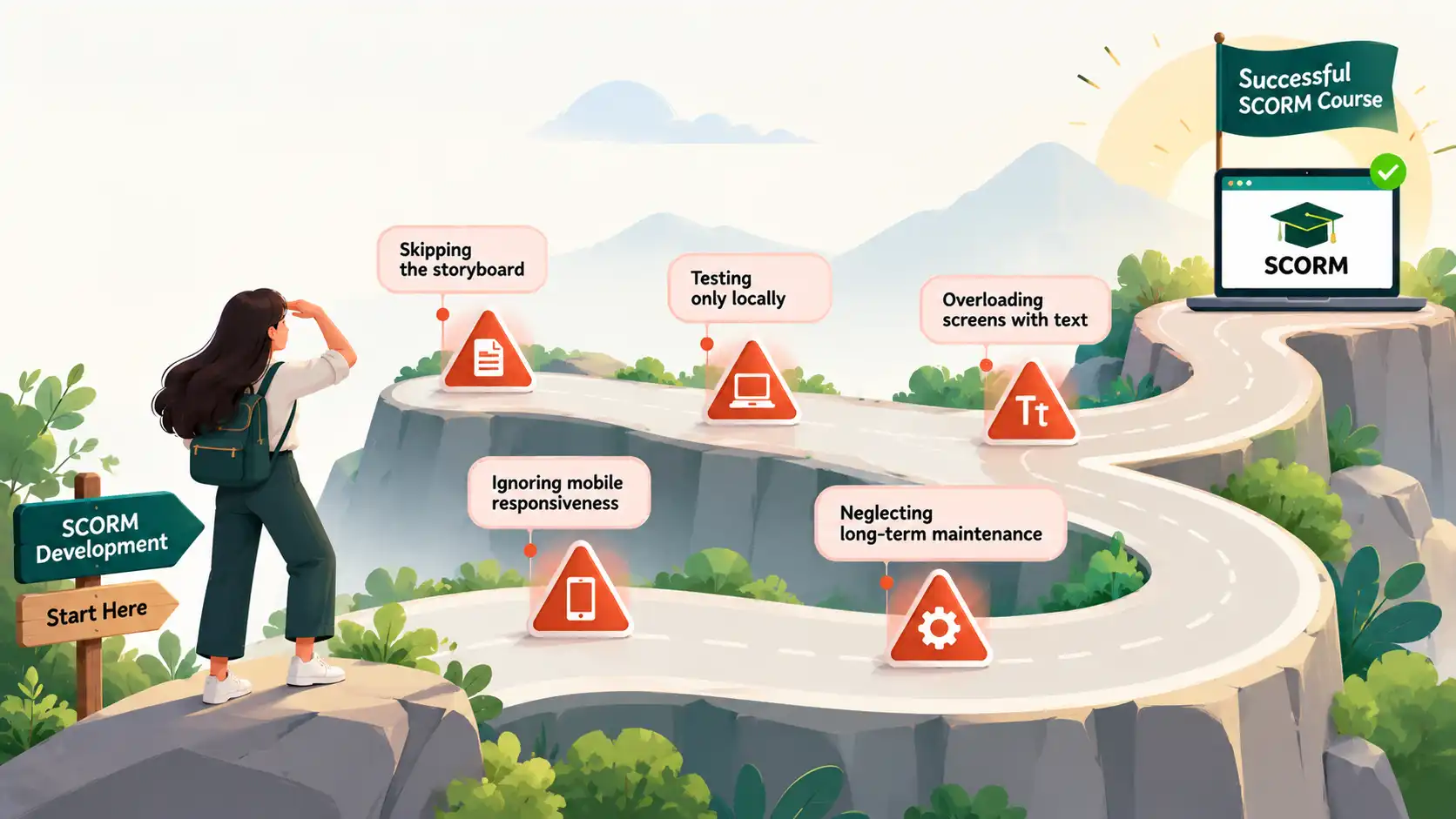
Common Mistakes to Avoid
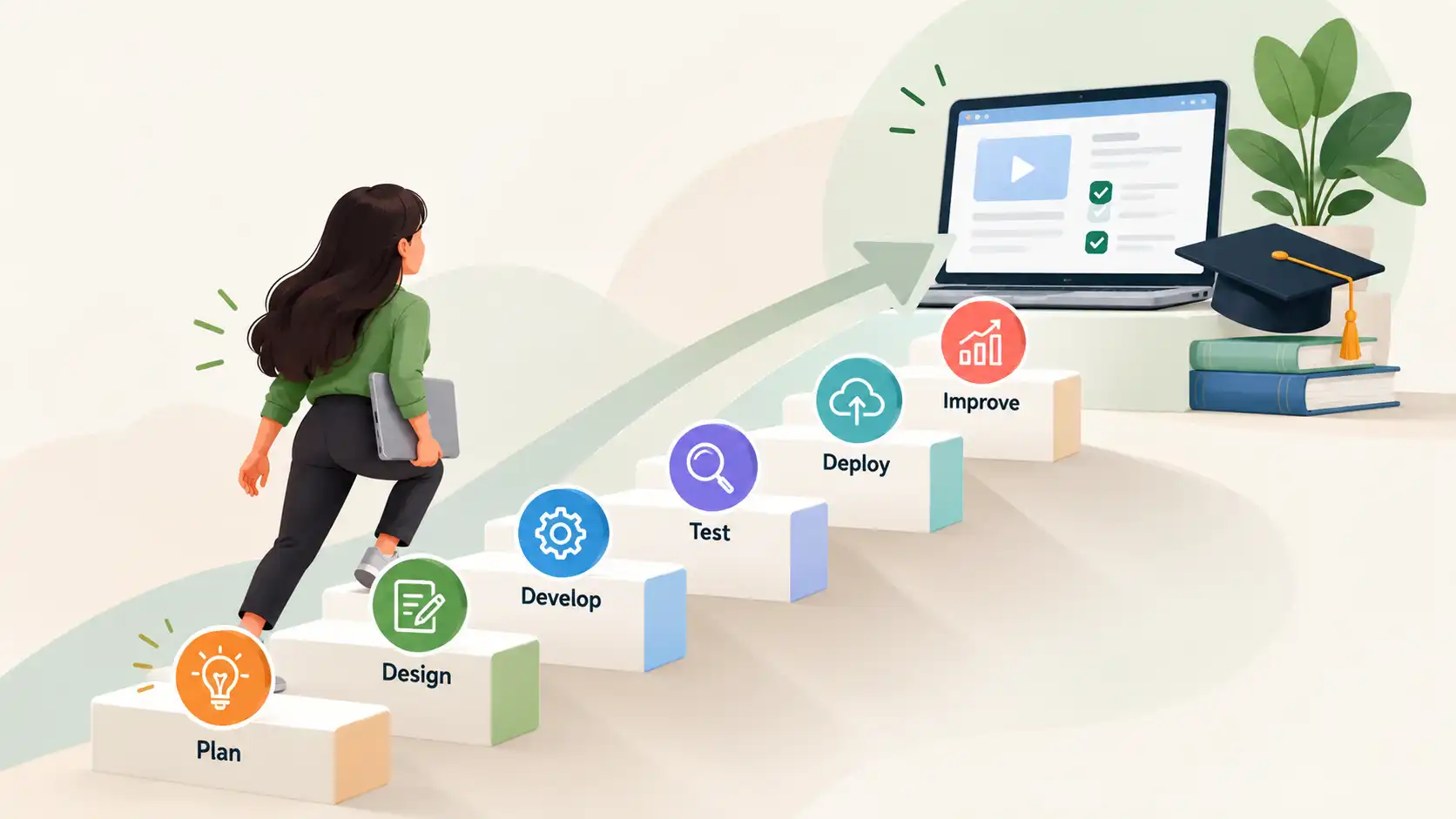
Even experienced training teams occasionally run into pitfalls during SCORM development. Avoid these frequent missteps:
- Skipping the Storyboard: Jumping straight into development without a blueprint leads to inconsistent design, scope creep, and excessive revision cycles.
- Testing Only Locally: Verifying a SCORM package on your local computer is not enough. Always test the package inside your production LMS environment to catch tracking or bookmarking bugs.
- Overloading Screens with Text: Cramping too much information onto a single screen overwhelms learners. Use clean design, whitespace, and chunked text.
- Ignoring Mobile Responsiveness: Failing to test how your course behaves on tablets and mobile phones alienates on-the-go learners.
- Neglecting Long-Term Maintenance: Using disorganized asset naming conventions or hardcoding text inside graphic files makes future course updates frustrating and expensive.
Summary
Developing a high-quality SCORM course is about much more than exporting a ZIP file and uploading it to an LMS. The most successful online training programs combine robust instructional design, learner-centered interaction models, technical reliability, and rigorous quality assurance.
By following a structured development lifecycle, you can create courses that not only meet technical SCORM standards but also drive genuine knowledge retention, simplify LMS administration, and reduce long-term maintenance effort.
Whether you are building compliance training, customer education academies, or enterprise onboarding programs, applying these best practices ensures your learning content performs reliably across any modern Learning Management System.
Frequently Asked Questions (FAQ)
Download the Free SCORM QA Checklist
Building a SCORM course involves many moving parts—from planning and instructional design to testing and LMS deployment. Missing even one critical step can lead to tracking errors, learner frustration, or unnecessary rework.
Download our practical Free SCORM Development & QA Checklist to help you:
Plan your SCORM projects more effectively
Review instructional design before development begins
Verify accessibility and mobile responsiveness
Test learner tracking and LMS compatibility
Perform a final quality assurance review before launch
Whether you are creating your first SCORM course or managing large-scale enterprise eLearning initiatives, this resource helps you deliver reliable, engaging learning experiences.