
In This Guide:
-
-
-
-
-
-
- 1. Introduction
- 2. The Problem: Administrative Drag in Course Development
- 3. Why Pedagogy Must Outpace Automation
- 4. Step-by-Step Solution: The 4-Step AI Course Planning Workflow
- 5. Practical Examples: Transforming Compliance Training
- 6. Best Practices for AI-Assisted Course Creation
- 7. Common Mistakes to Avoid
- 8. Summary
- 9. Frequently Asked Questions
-
-
-
-
-
Introduction
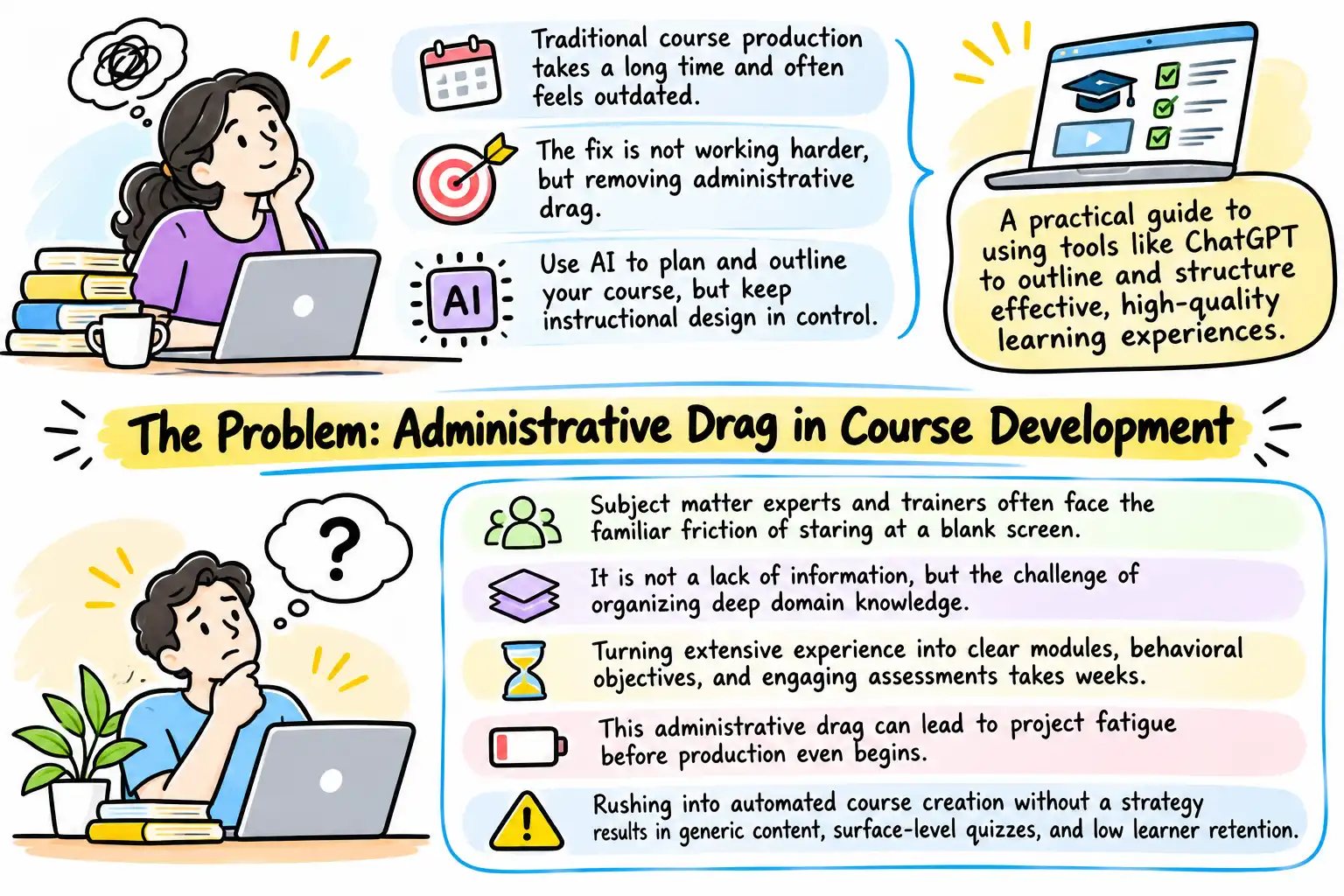
Staring at a blank screen is often the most significant operational bottleneck in professional training development. Translating years of practical domain knowledge into a structured curriculum requires immense administrative effort.
By the time a traditional training module or compliance deck is finalized, the material often feels outdated. Speed matters, but traditional production bottlenecks usually stall projects before they launch.
The fix is not working harder. It is removing administrative drag from outlining and scripting so your team can focus entirely on pedagogy.
Using artificial intelligence to plan an online course solves this initial friction. However, speed must never outpace instructional design.
This guide breaks down how to use tools like ChatGPT effectively to outline and structure your next learning experience without compromising educational rigor.
The Problem: Administrative Drag in Course Development
Most subject matter experts and corporate trainers know the familiar friction of staring at a blank screen.
When you possess deep domain expertise, knowing where to start an educational module is rarely about a lack of information. It is about organization.
Structuring hundreds of hours of practical experience into digestible modules, behavioral objectives, and engaging assessments takes weeks of heavy lifting.
This initial administrative drag often leads to project fatigue before content production even begins.
However, rushing into automated course creation without a strategy introduces high-cost errors. Allowing unedited model output to form your final curriculum results in generic text, surface-level quizzes, and low learner retention.
Why Pedagogy Must Outpace Automation
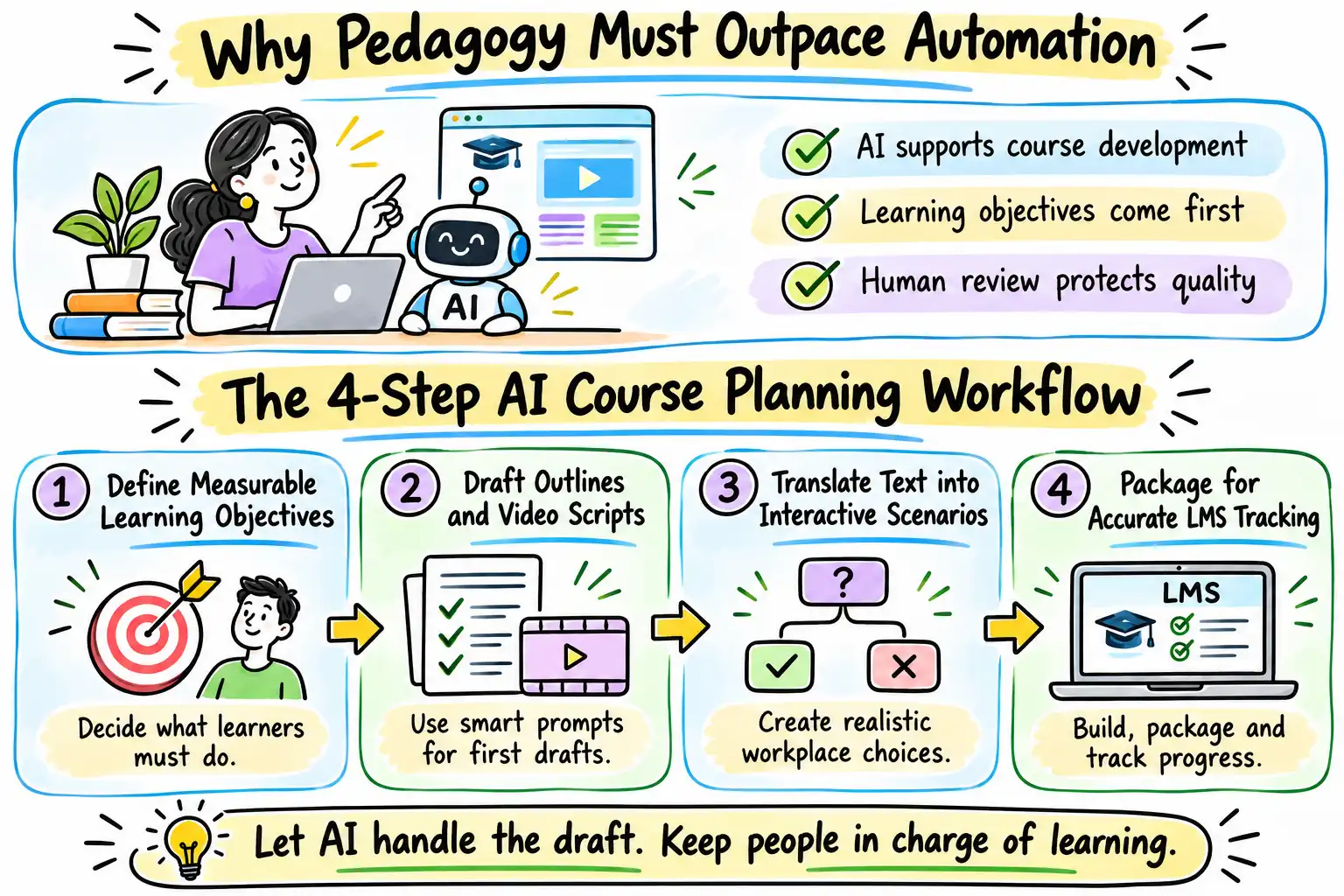
Artificial intelligence accelerates digital education development, but only when used correctly.
Never let automation dictate your curriculum structure. Technology must always serve sound instructional design principles.
When you let software build your entire course unedited, the resulting modules lack real-world workplace relevance and nuance.
Instead, use smart prompting as a collaborative drafting partner while you retain strict control over learning objectives, audience relevance, and assessment rigor.
To explore how these foundational outlines translate into professional digital formats, review our insights on Wizcabin Solutions & E-Learning Architecture.
Step-by-Step Solution: The 4-Step AI Course Planning Workflow
To move efficiently from raw ideas to a finished curriculum without sacrificing quality, follow a structured four-step workflow:
1. Define Measurable Learning Objectives
Establish clear educational outcomes before touching any generation tool. Decide what learners must do, not just what they must read.
2. Draft Outlines and Video Scripts
Use smart prompting to establish module hierarchies, lesson objectives, and conversational video scripts. Treat the model as a collaborative drafting assistant during initial scoping.
3. Translate Text into Interactive Scenarios
Move away from passive reading. Transform static paragraphs into active decision-making moments, such as branching scenarios that mirror real workplace dilemmas.
4. Package for Accurate LMS Tracking
Drafting text with artificial intelligence is only step one. Without proper authoring tools and packaging, your portal cannot track learner progress accurately.
Practical Examples: Transforming Compliance Training
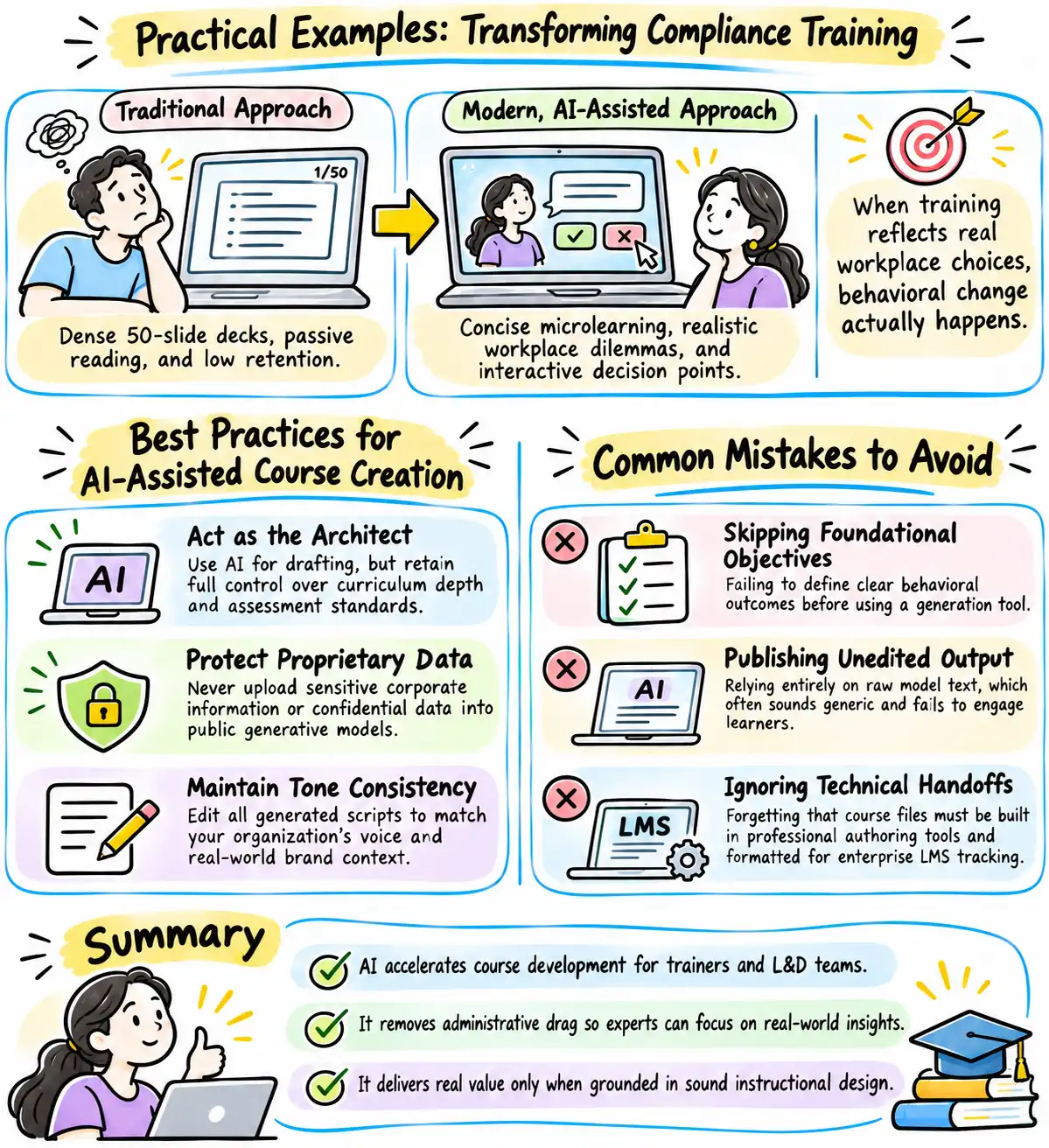
Traditional compliance training often relies on dense 50-slide decks filled with passive paragraphs. Employees click “Next” rapidly, retaining almost zero information.
Modern workflows use smart prompting to distill core rules into concise microlearning scripts.
Instead of reading passive text, employees navigate realistic workplace dilemmas through interactive decision points.
When training reflects real workplace choices, behavioral change actually happens.
To see what polished interactive modules look like in practice, take a look at our interactive examples on our Example Courses & Interactive Demos page.
Best Practices for AI-Assisted Course Creation
To maximize the benefits of generative tools while maintaining high educational standards, apply these professional practices:
-
- Act as the Architect: Use AI for drafting outlines, but retain full human control over curriculum depth and assessment standards.
- Protect Proprietary Data: Never upload sensitive corporate information, proprietary frameworks, or confidential employee data into public generative models.
- Maintain Tone Consistency: Edit all generated scripts to match your organization’s voice and real-world brand context.
Common Mistakes to Avoid
Rushing into automated course creation introduces avoidable pitfalls. Avoid these common errors:
- Skipping Foundational Objectives: Failing to define clear behavioral outcomes before opening a generation tool.
- Publishing Unedited Output: Relying entirely on raw model text, which often sounds generic and fails to engage modern learners.
- Ignoring Technical Handoffs: Forgetting that course files must be built inside professional authoring tools and formatted for enterprise LMS tracking.
Review our technical publishing standards in our How SCORM Works: Complete Technical Guide to ensure your technical handoffs are airtight.
Summary
Artificial intelligence is a powerful accelerator for course creators, corporate trainers, and L&D directors.
By removing administrative drag from initial outlining and scripting, your subject matter experts can focus on sharing real-world insights.
However, speed is useless without instructional rigor. Grounding your automation workflows in sound instructional design ensures your digital academy delivers measurable learning outcomes from day one.
Frequently Asked Questions
1. Can ChatGPT write an entire online course for me?
While artificial intelligence can generate complete text drafts and module outlines, relying on unedited output results in generic courses. Treat AI as a collaborative drafting assistant and apply human oversight to ensure pedagogical rigor.
2. How do I prompt ChatGPT to create a course outline?
Provide specific parameters regarding your target audience, learning objectives, module count, and desired depth. For example: “Draft a 4-module curriculum outline for corporate compliance onboarding, focusing on active decision-making.”
3. How do I prevent AI-generated course content from sounding generic?
Inject proprietary brand context, real-world workplace examples, and specific behavioral expectations during the human review phase.
4. What is administrative drag in course development?
Administrative drag refers to the time and mental friction spent on initial outlining, formatting, and scripting before actual course production begins.
5. How do AI-generated outlines connect to e-learning authoring tools?
Text outlines serve as the blueprint for storyboards, which are then built inside professional authoring environments like Articulate Storyline and Rise.
6. Do I need technical skills to use AI for course planning?
No. Standard conversational prompts are sufficient for outlining and scripting. However, publishing the final course requires proper authoring tools and SCORM packaging.
7. How does SCORM packaging affect AI-generated courses?
Without proper SCORM packaging, enterprise Learning Management Systems cannot track learner completion rates or assessment scores accurately. Review our How SCORM Works: Complete Technical Guide for details.
8. Should my organization build AI workflows internally or outsource?
If your internal team lacks the bandwidth for instructional design, authoring, and technical packaging, partnering with specialists often saves months of internal friction. Read our guide on In-House or Outsourcing E-Learning Development.
9. How do I turn an AI text outline into microlearning?
Prompt the AI to distill dense policy paragraphs into concise, single-concept scripts featuring realistic workplace decision points.
10. How can I get professional help developing my custom online course?
Partner with an experienced end-to-end team that handles everything from instructional design to LMS deployment. Connect with us via our Contact Wizcabin / Strategy Consultation page.
Take Your Training to the Next Level
Ready to modernize your training curriculum without adding internal overhead? Partner with an experienced end-to-end team that handles everything from instructional design and custom Storyline/Rise development to LMS deployment.
Reach out directly via our Contact Wizcabin / Strategy Consultation page to audit your workflow.