
In This Guide:
-
-
-
-
-
-
- 1. Introduction
- 2. The Problem: The Slow Pace of Traditional Course Production
- 3. Why This Matters
- 4. Step-by-Step Solution: Integrating AI Into Your E-Learning Workflow
- 5. Practical Examples: Before and After
- 6. Best Practices for AI-Assisted Training Development
- 7. Common Mistakes to Avoid
- 8. Summary
- 9. Frequently Asked Questions
-
-
-
-
-
Introduction
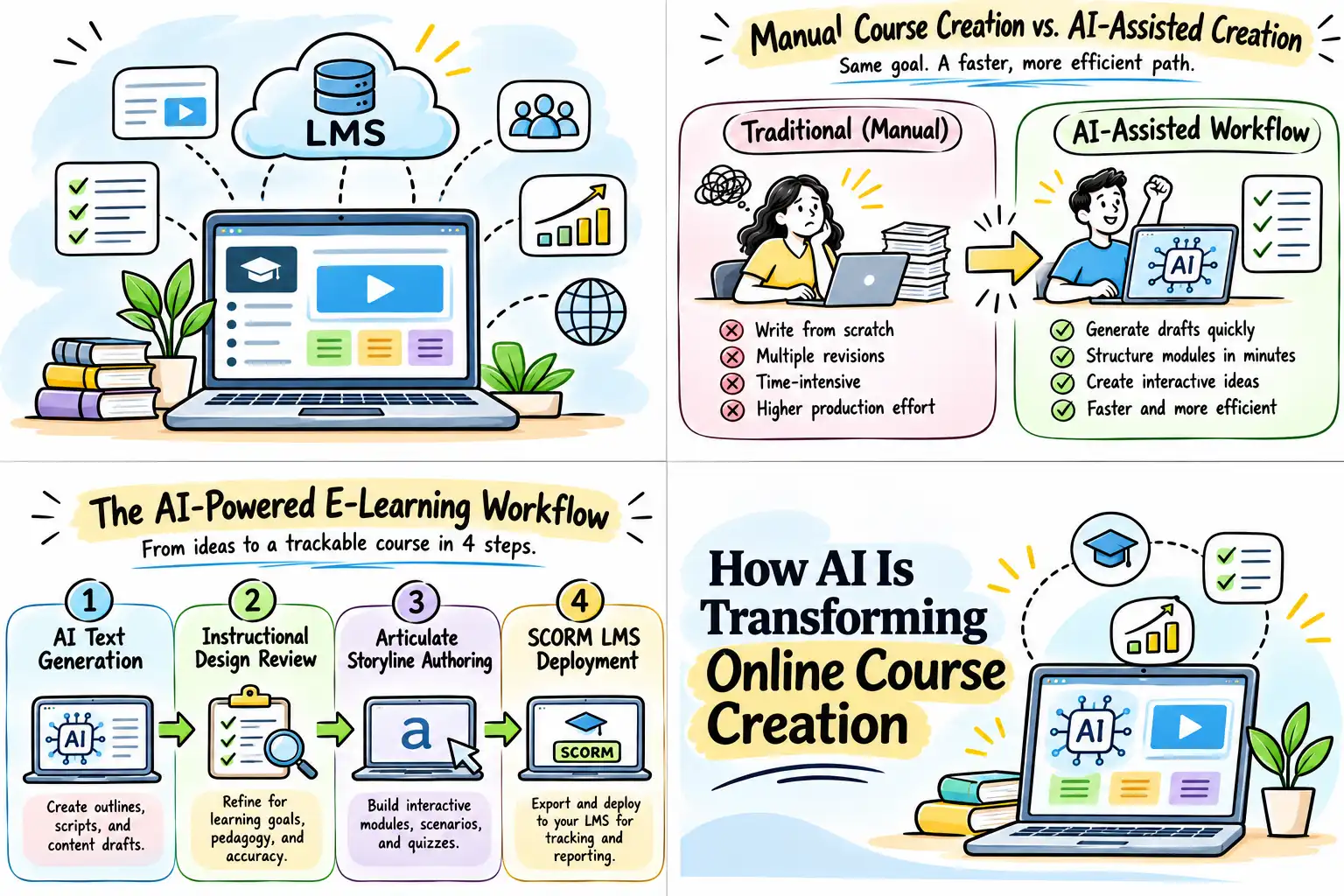
AI in online course creation is transforming how subject matter experts and corporate trainers develop structured learning materials.
Most subject matter experts and corporate trainers spend weeks staring at blank screens, trying to turn raw industry knowledge into a structured curriculum. Writing scripts, outlining modules, and formatting interactive slides for a Learning Management System requires immense time and administrative effort.
Artificial intelligence changes this equation. Instead of replacing human expertise, automation handles the heavy lifting of drafting, outlining, and formatting.
When applied correctly, these tools remove administrative drag so educators can focus entirely on pedagogy and learner outcomes.
The Problem: The Slow Pace of Traditional Course Production
Building digital education the old-fashioned way is notoriously resource-intensive. For corporate L&D directors, training companies, and independent consultants, production bottlenecks stall projects before they launch.
Consider the traditional workflow:
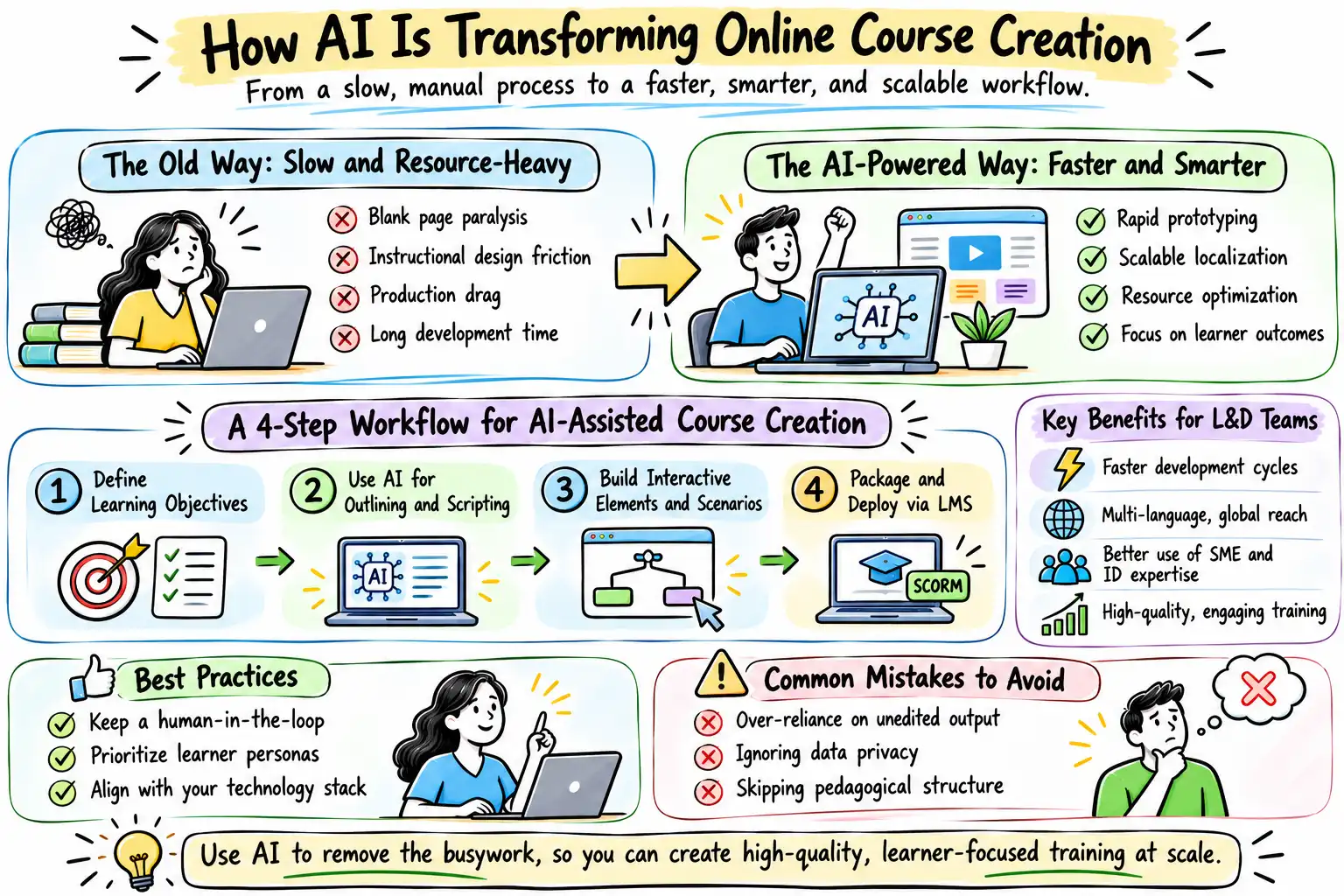
- The Blank Page Paralysis: Translating years of practical experience into a step-by-step learning objective format takes endless drafting cycles.
- Instructional Design Friction: Designing realistic branching scenarios or formative quizzes requires specialized instructional design knowledge that many subject matter experts lack.
- Production Drag: Formatting text, audio, and visual elements into authoring tools before packaging files for your LMS drains internal resources.
When production takes too many months, your training material risks becoming outdated before learners even log in.
Why This Matters
Speed matters, but quality dictates whether your training actually drives behavioral change. Using artificial intelligence correctly compresses development cycles without letting educational standards slip.
Whether you are scaling global compliance modules or launching a specialized online academy, integrating smart automation into your workflow delivers distinct advantages:
- Rapid Prototyping: Test multiple script variations, outline complex modules in minutes, and refine your curriculum structure before committing to heavy development.
- Scalable Localization: Translate core training materials across multiple languages to support distributed, global teams efficiently.
- Resource Optimization: Free up your instructional designers and subject matter experts to focus on high-impact engagement strategies rather than repetitive formatting tasks.
For a deeper look at how production workflows operate, read our analysis on In-House or Outsourcing E-Learning Development.
Step-by-Step Solution: Integrating AI Into Your E-Learning Workflow
Successfully using artificial intelligence in course creation requires a systematic approach. Here is how to move from raw ideas to a finished, interactive curriculum.
Step 1: Define Learning Objectives First
Never let automation dictate your curriculum structure. Clearly define what your learners need to know, do, or feel by the end of the module. Grounding your project in solid instructional design principles ensures the resulting output solves real business problems.
Step 2: Use Smart Prompting for Outlining and Scripting
Feed your learning objectives and target audience personas into your chosen AI tools to generate draft outlines, module summaries, and conversational video scripts. Treat this output as a sophisticated first draft, not a finished product.
Step 3: Build Interactive Elements and Scenarios
Translate static text into active decision-making moments. Use tools to generate branching scenario outlines, then build them out using robust authoring environments as explored in our guide on How to Use Scenarios in E-Learning.
Step 4: Package and Deploy via Your LMS
Ensure your generated and authored modules comply with industry standards so they track learner progress accurately. Review our technical resource on How SCORM Works: Complete Technical Guide to guarantee your files communicate seamlessly with your portal.
Practical Examples: Before and After
To understand the real-world impact of AI-assisted authoring, look at how compliance training transforms:
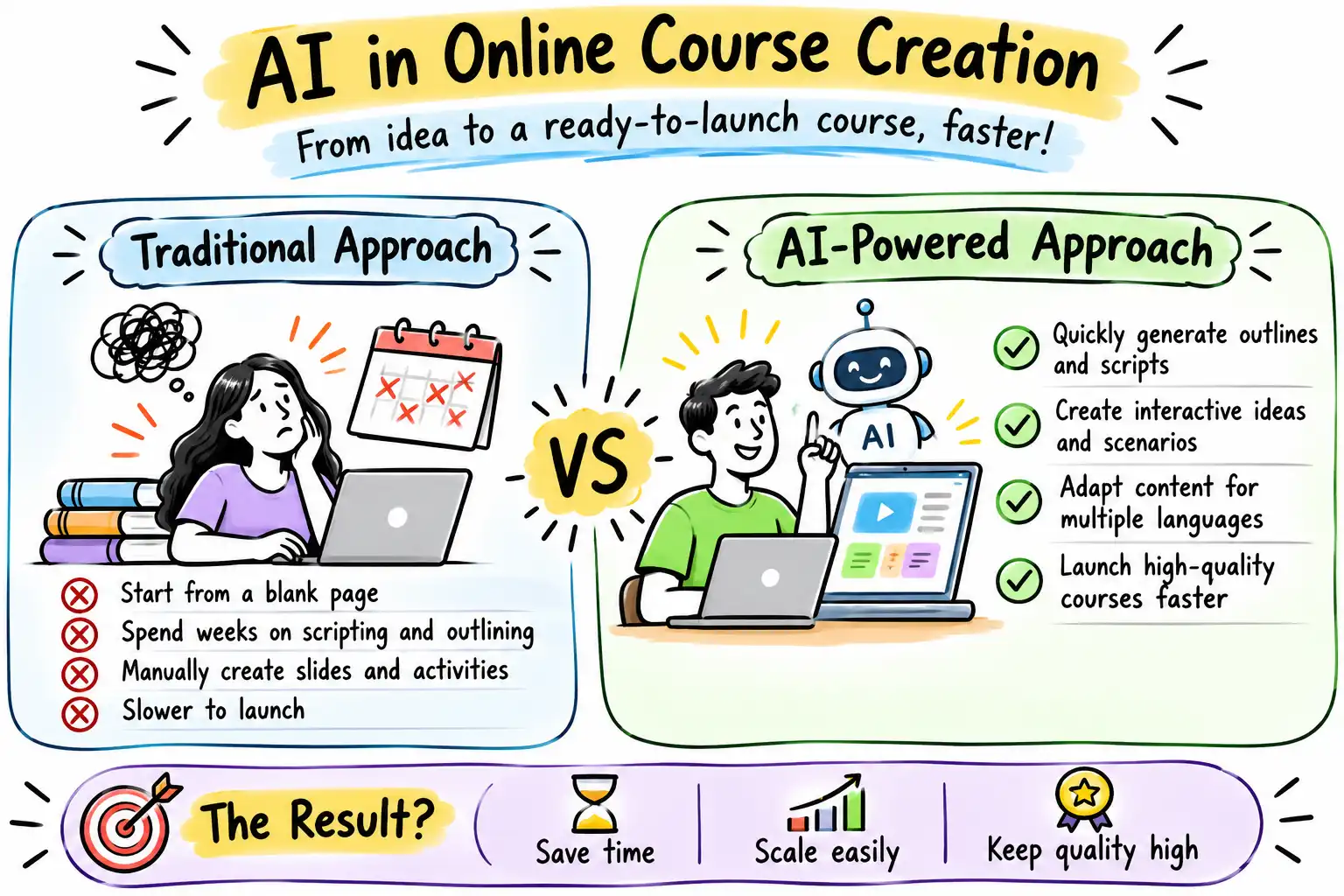
- Before (Traditional Approach): An L&D director spends three weeks drafting a 50-slide compliance deck filled with dense paragraphs. Learners click “Next” rapidly, retaining very little information.
- After (AI-Assisted Workflow): The team uses smart prompting to distill the core compliance rules into concise microlearning scripts. They build interactive decision points where employees navigate realistic workplace dilemmas. To explore what polished, interactive modules look like in practice, browse our Example Courses & Interactive Demos.
Best Practices for Choosing an LMS
- Maintain a Human-in-the-Loop: Always review model output for factual accuracy, tone consistency, and real-world relevance.
- Prioritize Learner Personas: Build detailed profiles of your audience before generating content to ensure the training matches their daily working environment.
- Align with Your Technology Stack: Ensure your curriculum structure dictates your software choices, not the other way around. To understand how end-to-end architecture comes together, review our Wizcabin Solutions & E-Learning Architecture.
Common Mistakes to Avoid
- Over-reliance on Unedited Output: Dumping raw model output directly onto training slides leads to generic, unengaging education.
- Ignoring Data Privacy: Uploading proprietary corporate data or confidential employee information into public AI models creates serious compliance and security risks.
- Skipping Pedagogical Structure: Focusing solely on speed while ignoring foundational learning objectives results in high production volume with zero knowledge retention.
Summary
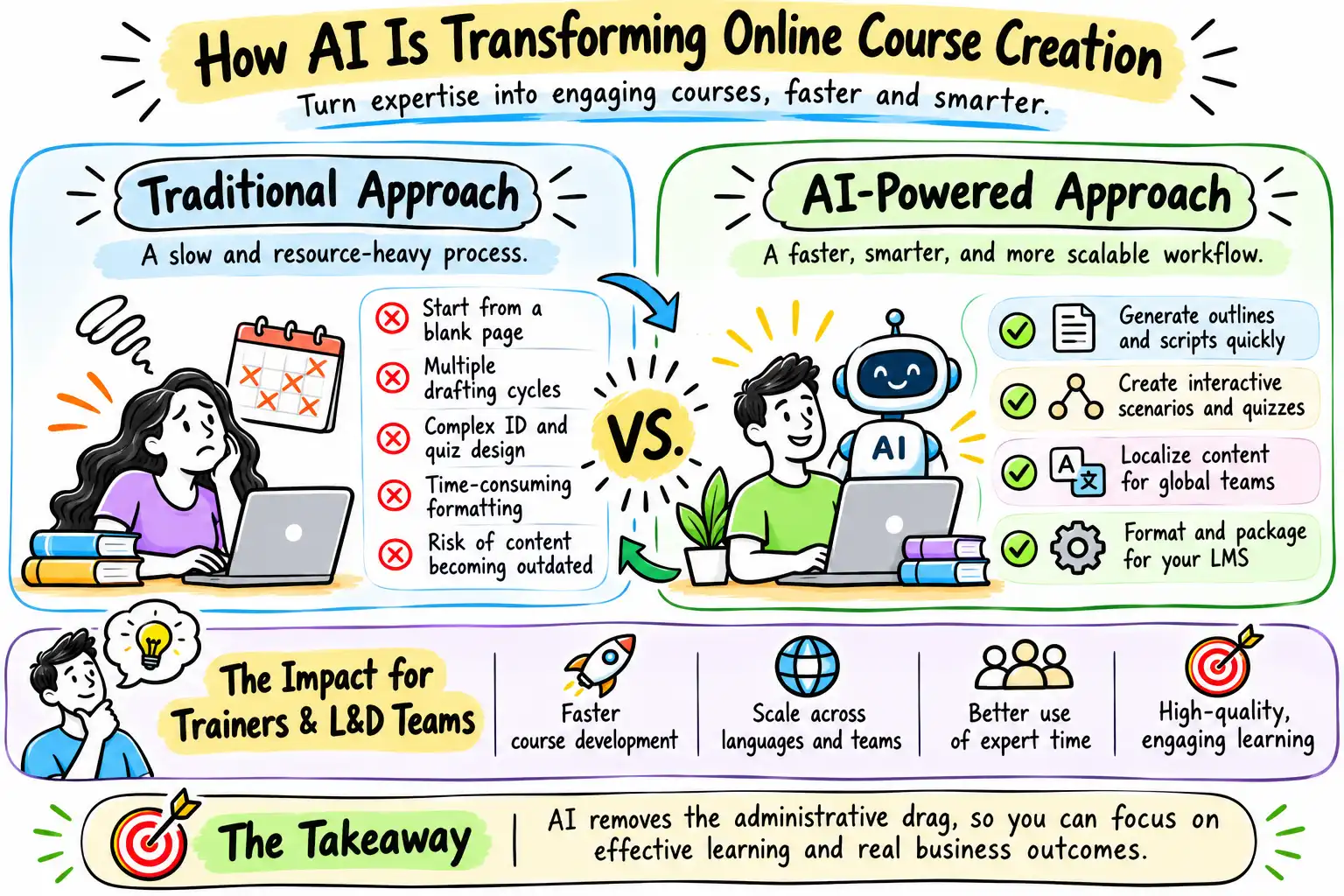
Artificial intelligence is a powerful accelerator for digital education development. By removing administrative drag from outlining, scripting, and translation, it allows subject matter experts and L&D directors to build better training in a fraction of traditional timelines.
However, technology must always serve sound instructional design. When paired with robust authoring tools and a reliable LMS, smart automation transforms how organizations build impactful learning experiences.
Frequently Asked Questions
1. Can I really create an online course using artificial intelligence for free?
Yes, you can generate basic outlines, lesson summaries, and draft scripts using free tools. However, free generators often lack advanced features like SCORM export, responsive multi-device previews, and custom branding. They serve best as a brainstorming partner before moving content into professional authoring workflows.
2. What is the best AI course builder for corporate training?
The best builder depends entirely on your delivery requirements. If you need strict tracking and reporting for employee compliance, look for tools that export standard packages compatible with your LMS. Review our technical guide on How SCORM Works: Complete Technical Guide to ensure your chosen builder meets enterprise tracking standards.
3. How do AI-driven course editors handle instructional design principles?
Most basic editors focus heavily on text generation rather than pedagogy. High-end workflows let you input specific learning objectives, target-audience personas, and branching logic. Explore our Example Courses & Interactive Demos to see the benchmark for professional design.
4. Should I use an all-in-one platform like Teachable or a dedicated e-learning partner?
Platforms like Teachable work well for creators selling direct-to-consumer video courses. However, corporate trainers and organizations requiring custom interactivity, multilingual support, and deep LMS integration often need a tailored approach. Read our insights on In-House or Outsourcing E-Learning Development to evaluate your options.
5. How do I maintain compliance when using automated tools for corporate training?
Always sanitize your source data to remove proprietary information before using public generation tools. Keep subject matter experts involved in reviewing every final script to guarantee regulatory and factual accuracy.
6. Can AI accurately generate branching logic without breaking learning objectives?
AI can draft initial decision trees and scenario options, but a human instructional designer must review the logic flow to ensure learners are tested on correct, practical competencies.
7. How does automation help with e-learning localization?
Smart translation tools rapidly convert core course scripts into multiple languages. This drastically reduces the time required to deploy consistent onboarding or compliance training across global, distributed teams.
8. Will artificial intelligence replace human instructional designers?
No. Automation removes administrative burdens like outlining and initial drafting, freeing instructional designers to focus on higher-level strategy, learner engagement, and pedagogical effectiveness.
9. What is the technical handoff between AI text and my LMS?
Once your scripts and outlines are finalized, build the content in an authoring tool and export it as a SCORM or xAPI package so your Learning Management System can track completion and scores accurately.
10. How do I start integrating automation into my current course production workflow?
Begin with a small pilot project—such as using smart tools to outline a single microlearning module or draft quiz questions—before scaling the workflow across your entire training catalog.
Ready to Transform Your Training?
Ready to modernize your training curriculum or scale custom course development without adding internal friction?
Partner with an experienced end-to-end team that handles everything from instructional design to LMS deployment. Reach out directly via our Contact Wizcabin / Strategy Consultation page to audit your current workflow.