
In This Guide:
-
-
-
-
-
-
- 1. Introduction
- 2. The Problem: Choosing Based on Hype Instead of Architecture
- 3. Why This Matters
- 4. Understanding Hosted LMS and Self-Hosted LMS
- 5. Hosted vs Self-Hosted: A Simple Analogy
- 6. Hosted LMS vs Self-Hosted LMS: Quick Comparison
- 7. Detailed Comparison: Factor by Factor
- 8. Best Practices for Choosing an LMS
- 9. Common Mistakes to Avoid
- 10. Summary
- 11. Frequently Asked Questions
-
-
-
-
-
Introduction
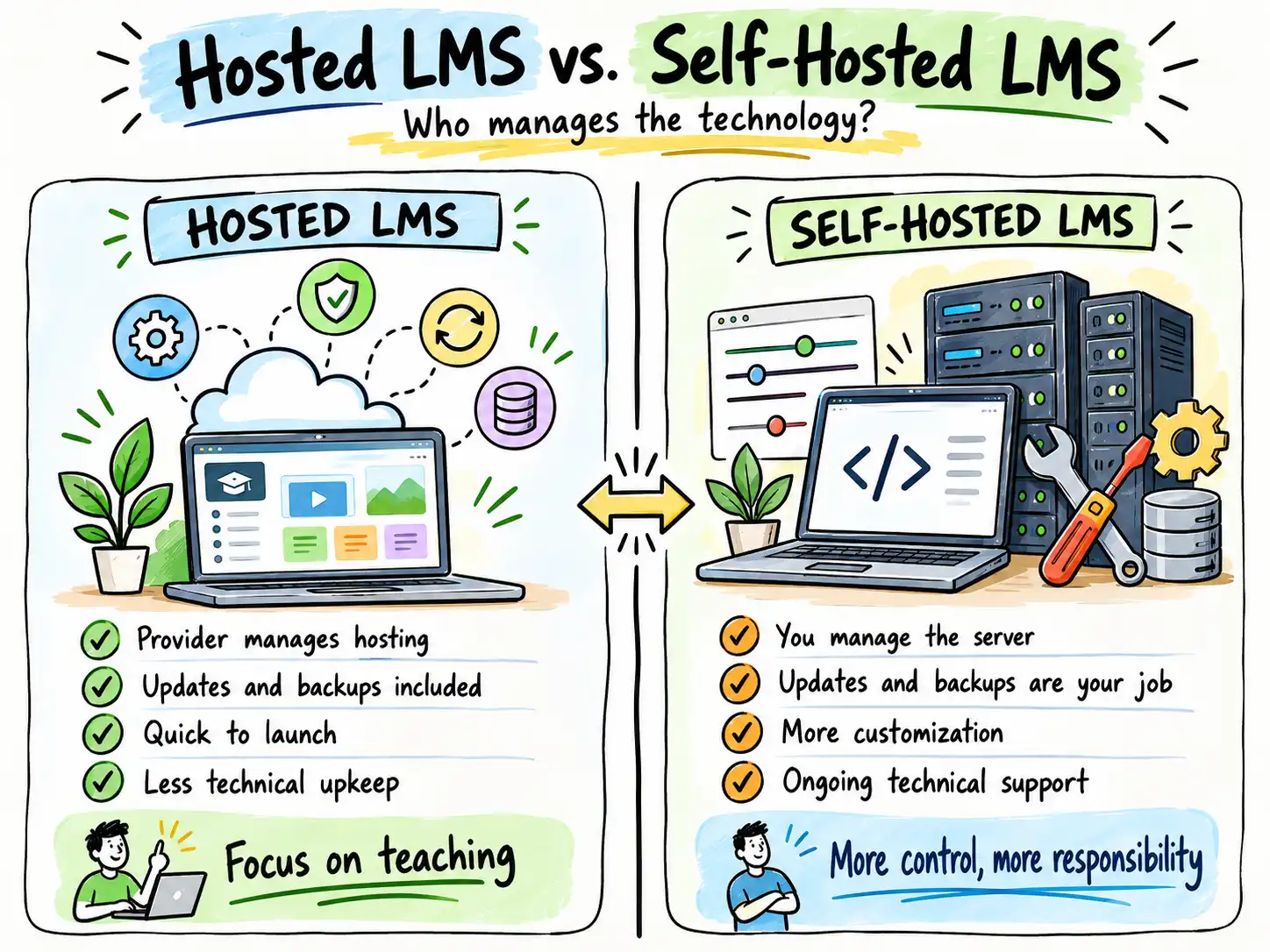
Choosing between a Hosted LMS vs. Self-Hosted LMS is an important decision when building an online academy or scaling professional training. The platform you select determines how you create, manage, and deliver learning experiences, as well as how efficiently your organization can grow.
Both options help you deliver online learning, but they differ significantly in setup, maintenance, customization, and long-term technical ownership.
In this guide, we’ll explore the key differences between hosted and self-hosted platforms, compare their advantages and limitations, and provide a practical framework to help you choose the right foundation for your business.
The Problem: Choosing Based on Hype Instead of Architecture
Many businesses select an LMS based on upfront price tags or popular recommendations without auditing their actual technical and operational requirements. Consequently, organizations often encounter unexpected costs, rigid technical constraints, security vulnerabilities, or severe migration friction as their training volume expands.
For instance, an independent coach launching a cohort-based program requires rapid deployment and frictionless maintenance. Conversely, a large enterprise or training company with strict data governance mandates requires deep customization, proprietary integrations, and complete control over their learning environment. Choosing the wrong architectural model leads to costly platform migrations and poor learner engagement.
Evaluating the structural differences between hosted and self-hosted environments before writing a single line of curriculum preserves both capital and momentum.
Why This Matters
Your learning technology should accelerate your business goals, not restrict them. The ideal platform aligns seamlessly with your technical capacity, internal resources, budget, and desired learner experience.
Whether you operate as an independent consultant, corporate training director, or growing educational organization, understanding the operational realities of each deployment model ensures you make an objective, long-term decision.
Rather than asking, “Which LMS is universally better?”, the smarter question is:
“Which LMS architecture matches our operational capacity and growth trajectory?”
Understanding Hosted LMS and Self-Hosted LMS
Before comparing deployment models, let us clarify the core software category. A Learning Management System (LMS) is software engineered to create, deliver, manage, and track online learning. A robust LMS allows you to structure multimedia courses, enroll learners, administer assessments, and generate compliance reports.
However, where that software lives and who manages its underlying infrastructure defines the split between hosted and self-hosted models.
What Is a Hosted LMS?
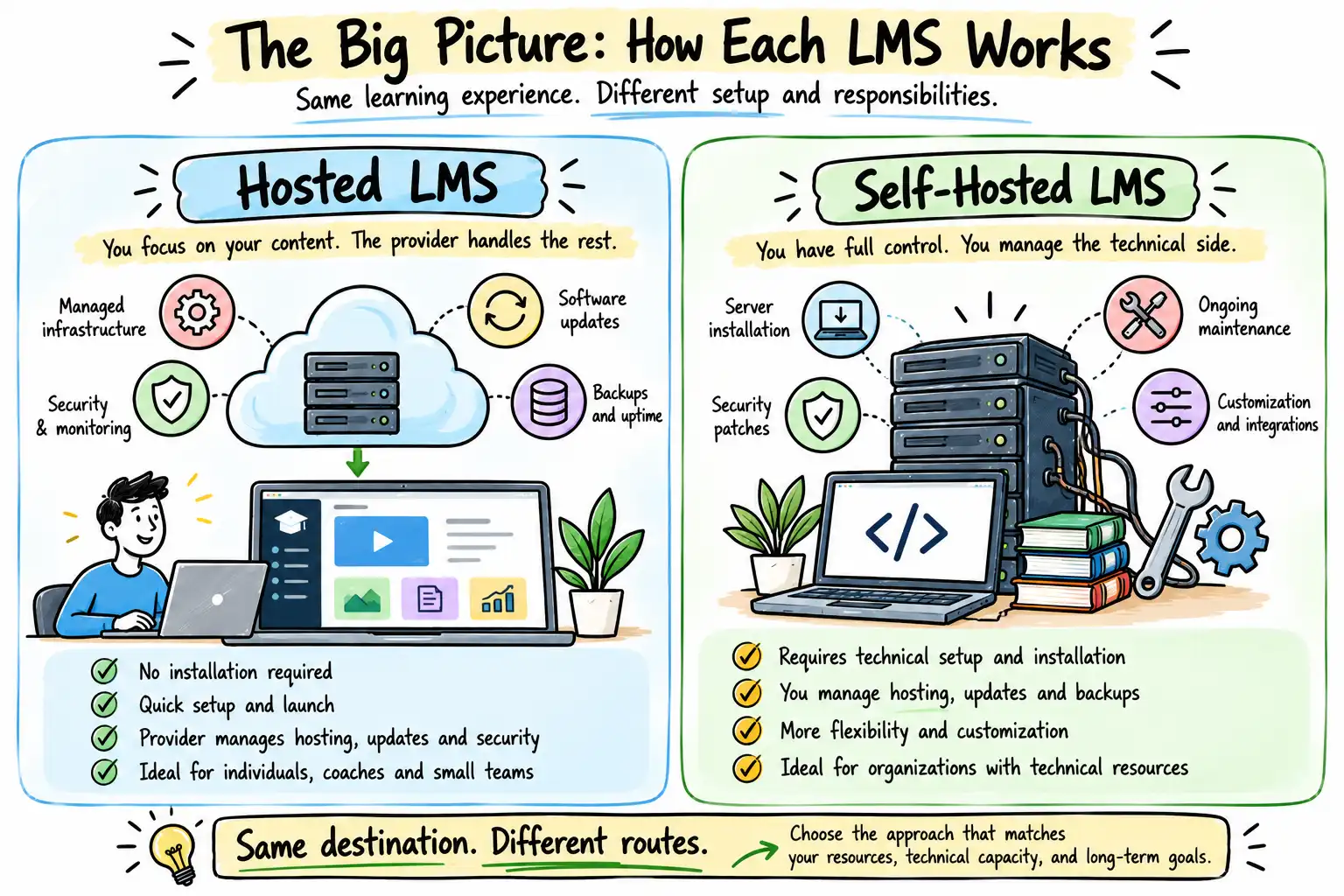
A Hosted LMS (often delivered as Software-as-a-Service or Cloud LMS) is managed entirely by the software provider. You do not need to install software packages, configure servers, or manage database patches. You simply create an account, build or upload your modules, and begin delivery.
The provider handles:
- Cloud infrastructure and server provisioning
- Core software updates and feature rollouts
- Platform security and threat monitoring
- Automated daily backups
- Uptime and performance optimization
Common examples include Thinkific, Kajabi, LearnWorlds, and TalentLMS.
What Is a Self-Hosted LMS?
A Self-Hosted LMS is software that you download and install on your own web server, private cloud, or managed hosting account. While this grants you absolute control over the environment, your organization assumes total responsibility for platform administration.
Typical operational responsibilities include:
- Initial software installation and database configuration
- Web hosting management and server resource scaling
- Applying regular security patches and software updates
- Configuring SSL certificates and firewalls
- Scheduling manual or automated database backups
- Troubleshooting plugin conflicts and server errors
Common examples include Moodle, LearnDash (built on WordPress), and Open edX.
Hosted vs Self-Hosted: A Simple Analogy
Consider the difference between renting a fully serviced commercial office space versus buying raw land and building a custom industrial facility.
A Hosted LMS is like moving into a managed executive suite. The building management handles utilities, structural repairs, security, and cleaning. You simply walk in, set up your desks, and start working.
A Self-Hosted LMS is like owning the building outright. You enjoy total freedom to knock down walls, paint the exterior, and design the floor plan. However, when a pipe bursts or the roof leaks, you are entirely responsible for fixing it—or hiring someone who can.
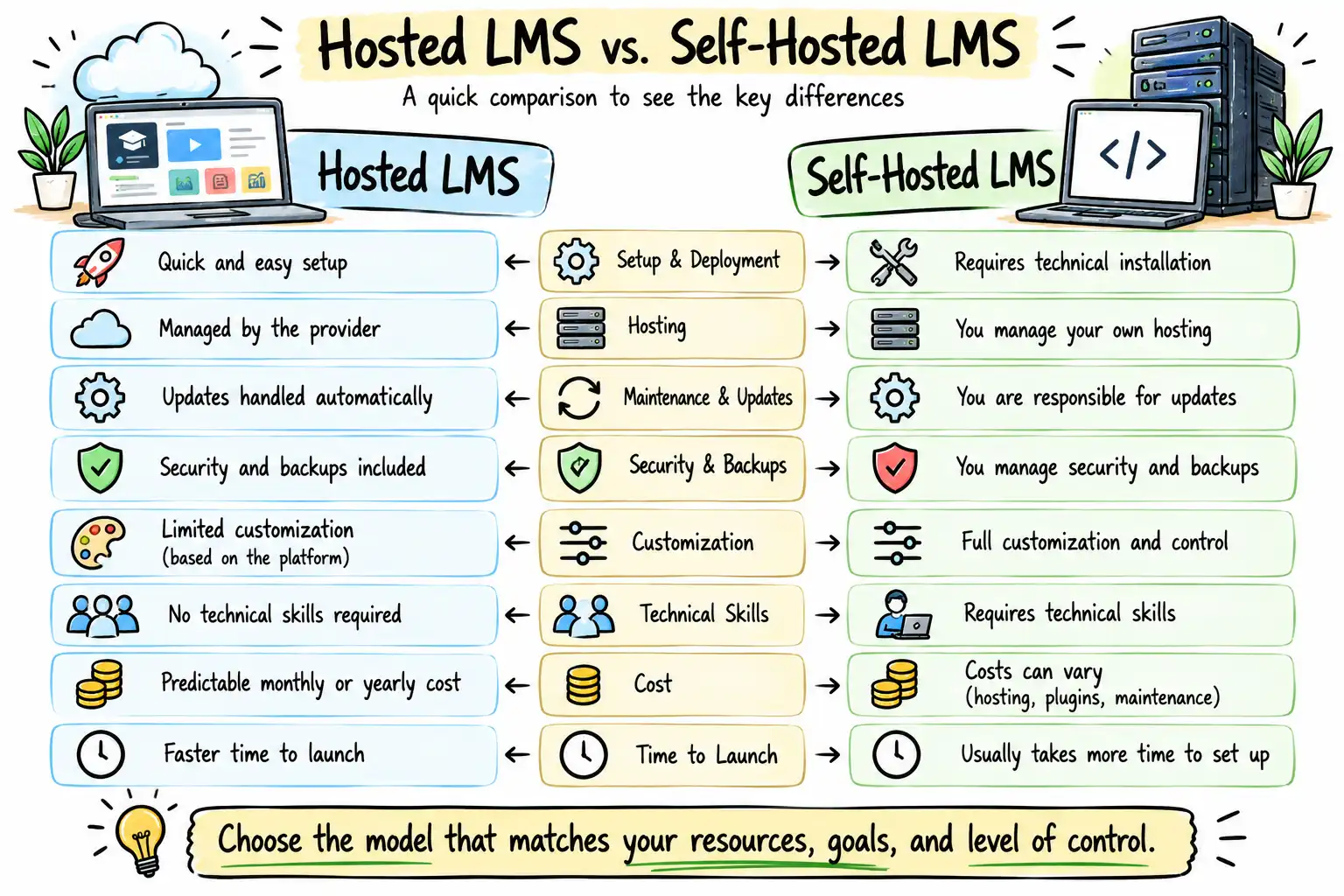
Hosted LMS vs Self-Hosted LMS: Quick Comparison
| Feature | Hosted LMS | Self-Hosted LMS |
| Setup & Deployment | Quick and straightforward | Requires technical installation |
| Hosting Infrastructure | Managed by the provider | Managed by your organization |
| Maintenance & Updates | Automated by the provider | Manual management required |
| Customization Depth | Confined to provider features | Highly customizable via code/plugins |
| Required Technical Skill | Minimal (intuitive dashboards) | Moderate to advanced (IT/Dev support) |
| Initial Time-to-Market | Fast (days to weeks) | Slower (weeks to months) |
| Best Suited For | Coaches, trainers, SMEs, course creators | Enterprises, universities, organizations with IT teams |
To dive deeper into platform evaluations, explore our guide on how to choose the best LMS.
Detailed Comparison: Factor by Factor
Selecting an architectural model requires weighing operational priorities against long-term business objectives. Here is how both options compare across critical operational metrics.
1. Setup and Implementation
- Hosted LMS: Engineered for speed. Accounts are provisioned instantly, allowing course creators to focus purely on curriculum delivery rather than technical configuration.
- Self-Hosted LMS: Demands technical groundwork. Your team must configure server environments, install core files, set up database connections, and test integrations before launch.
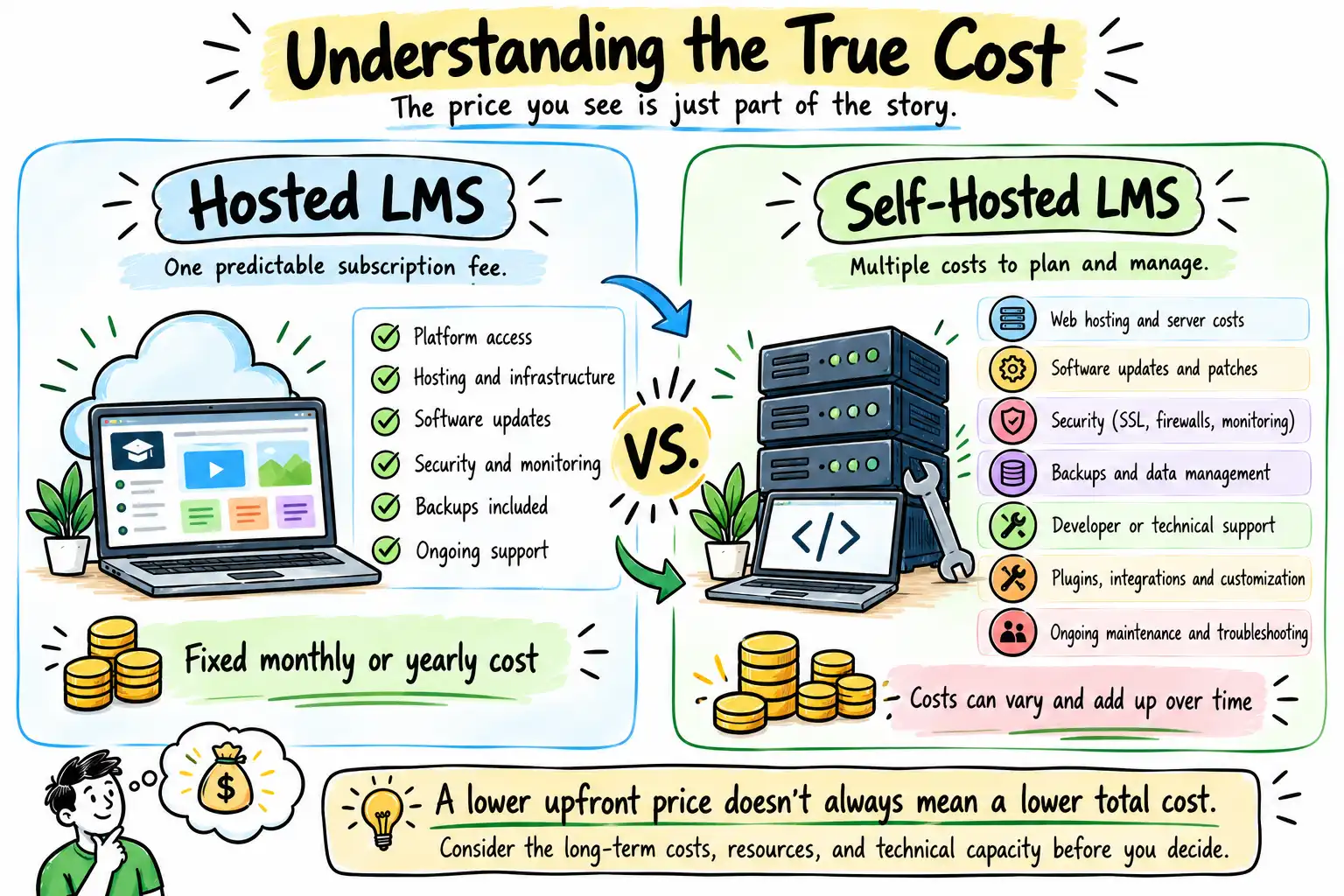
2. Cost and Total Cost of Ownership
- Hosted LMS: Typically operates on a predictable monthly or annual subscription fee. While recurring costs persist, capital expenditure on IT infrastructure remains zero.
- Self-Hosted LMS: Software licenses may be open-source (free), but the true cost of ownership includes web hosting, SSL certificates, developer retainers, premium plugins, and emergency troubleshooting.
3. Customization and Flexibility
- Hosted LMS: Offers polished templates and built-in features, but structural changes are restricted by the provider’s walled garden.
- Self-Hosted LMS: Offers infinite flexibility. Because you own the source code, you can modify themes, build custom plugins, and tailor the user experience to exact brand specifications.
4. Maintenance, Security, and Compliance
- Hosted LMS: Security protocols, patch management, and server uptime are maintained by dedicated engineering teams at the provider level.
- Self-Hosted LMS: Your organization is entirely accountable for data privacy, vulnerability patches, and security hardening. This model is often favored by organizations bound by strict regulatory compliance frameworks.
Best Practices for Choosing an LMS
Before committing to a deployment model, apply these foundational principles:
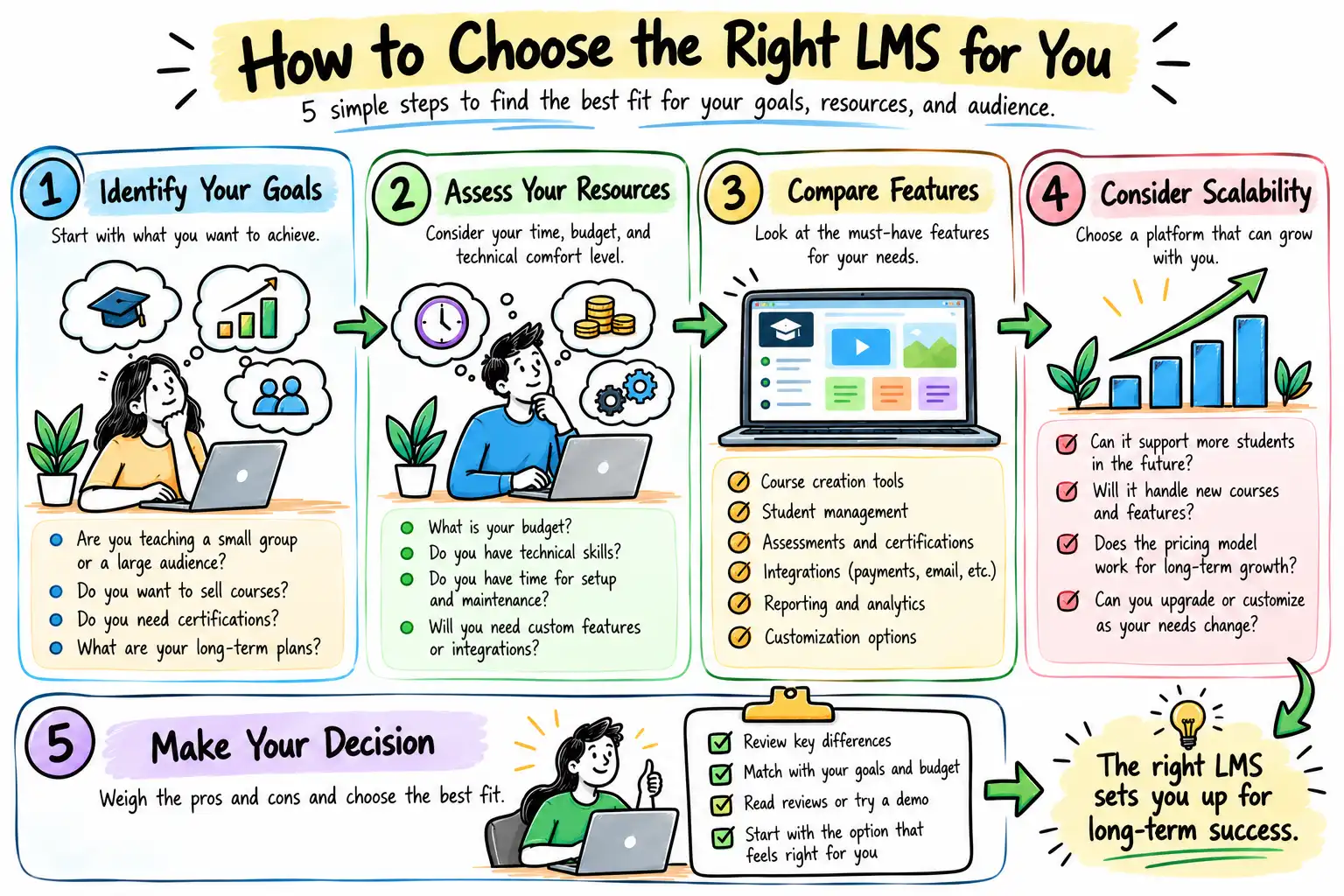
- Define Learning Objectives First: Never choose technology before mapping out your instructional design, target audience, and delivery format. For a deeper breakdown of core capabilities, review our guide on essential LMS features.
- Calculate Total Cost of Ownership: Look beyond monthly subscription fees or initial free software downloads. Factor in administrative overhead, hosting, and future development costs.
- Audit Internal Technical Resources: Be realistic about your team’s technical capacity. If you lack dedicated IT support, a self-hosted platform will quickly become an operational bottleneck.
- Test User Experience (UX): A clunky interface destroys completion rates. Always evaluate both administrator workflows and learner navigation via free trials or interactive demos.
Common Mistakes to Avoid
Many businesses face challenges because they choose an LMS without proper planning.
Avoid these common mistakes:
Choosing Based Only on Price
The cheapest solution isn’t always the most cost-effective over time.
Ignoring Technical Requirements
A self-hosted LMS requires ongoing technical management. Make sure you have the right resources before choosing one.
Overlooking Future Growth
Your LMS should support your business as it grows. Switching platforms later can be time-consuming and costly.
Not Considering User Experience
A complicated platform can frustrate administrators and learners, affecting course completion and engagement.
Skipping Platform Evaluation
Always compare features, support, integrations, and scalability before making a final decision.
Summary
Both Hosted LMS and Self-Hosted LMS platforms have their advantages.
A Hosted LMS is ideal if you want a platform that’s easy to launch, requires minimal technical management, and lets you focus on delivering learning.
A Self-Hosted LMS is better suited for organizations that need greater customization, complete control over their learning environment, and have the technical resources to manage the platform.
The best choice depends on your business goals, budget, technical expertise, and long-term growth plans.
Frequently Asked Questions
1. What is a Hosted LMS?
A Hosted LMS is a cloud-based learning platform managed entirely by the software provider, covering hosting, security updates, and routine maintenance.
2. What is a Self-Hosted LMS?
A Self-Hosted LMS is software installed on your own web server or private cloud, granting complete system control alongside total maintenance responsibility.
3. Which LMS is easier to set up?
Hosted LMS platforms are significantly faster and easier to deploy because they eliminate server configuration and technical installation requirements.
4. Is a Self-Hosted LMS cheaper?
Not necessarily. While open-source software may lack licensing fees, hosting, maintenance, developer support, and security hardening incur ongoing expenses.
5. Which LMS is better for online course creators?
Hosted LMS platforms are generally preferred by independent creators, consultants, and coaches due to their rapid deployment and minimal technical overhead.
6. Which LMS is better for corporate training?
Organizations with complex security compliance, legacy system integrations, or customized internal workflows often benefit from a self-hosted architecture.
7. Can I migrate from a Hosted LMS to a Self-Hosted LMS?
Yes. Most platforms support data export and migration, though the complexity depends on the structure of your existing courses and user databases. Read our guide on LMS migration for step-by-step strategies.
8. Is a Hosted LMS more secure?
Hosted providers employ dedicated security teams to manage patches and backups, whereas self-hosted platforms require your internal IT team to maintain rigorous security protocols.
9. Are an LMS and a CMS the same thing?
No. An LMS is engineered specifically to deliver, track, and manage online training, while a Content Management System (CMS) manages general website pages and blogs.
10. How do I choose the right LMS for my business?
Assess your budget, technical expertise, customization requirements, integration needs, and long-term business goals before evaluating specific software vendors.
Let’s Build Better Learning Experiences
Choosing the right learning architecture does not have to be a guessing game. If you are evaluating platforms or planning to build an online academy, let our team help you navigate the technical landscape.
- Explore our professional capabilities: Learn more about our Managed LMS Services.
- Speak with an architect: Book a Free Strategy Session to discuss your specific training infrastructure requirements.